Greeting Cards With Your Photo and Message: A Simple Guide
A shop-bought card says someone remembered. A card with your own photo on the front says a little more, and it’s usually the one still on the mantelpiece weeks later.
Personalised greeting cards look simple, but a folded card has a few rules that a flat print doesn’t. The fold decides how your photo is shaped, the inside needs its own plan, and every card in a pack is the same. Here’s how to make a card that works, whether you need ten for Christmas or a pack for a new baby.
Start With How Many People You’re Sending To
Photo9 greeting cards come in packs of ten folded cards, all printed from the same design. That shapes your wording more than anything else.
A card for several people: Christmas, a birth announcement or a wedding thank-you. Write a message that works for everyone, and add a personal line by hand.
A card for one person: a birthday or an anniversary. You can be as specific as you like, and the other nine cards are spares for next time or for other relatives.
If you want different designs for different people, make a second design and order it as its own pack.
Choose the Fold, Then the Photo
The fold decides the shape of the front, so choose it before you choose the photo.
Card shape | How it opens | Photos that suit it |
|---|---|---|
Portrait | Side fold, like a book | Upright phone photos and single portraits |
Landscape | Top fold, opens upwards | Wide photos and group shots |
Square | Side fold or top fold, your choice | Close-ups and photos that crop well to a square |
In most countries the sizes are A6 (10.5 × 14.8 cm), A5 (14.8 × 21 cm), DL (9.9 × 21 cm) and a 14.1 cm square. In the US and Canada they are 4.25 × 5.5 in, 5 × 7 in, 5.5 × 8.5 in and a 5.25 in square. The page shows the sizes and prices for your country.
A6 is small, so it needs a simple photo. If your picture has several faces in it, A5 gives them room to be seen.
Design the Front So It Reads at a Glance
The front of a card gets a second or two of attention on a doormat or a shelf, so keep it to one idea.
One clear photo: a close, cheerful photo reads better than a collage on a small card.
A short greeting: “Merry Christmas”, “Thank you” or “Hello, little one” is enough. The longer message belongs inside.
Text with space around it: a greeting on a white band below the photo is the easiest to read. A greeting over the photo needs a calm area, such as sky or a dark background.
Keep faces and text off the fold
Anything within 4 mm of the fold bends with the card. The editor shades this band and warns you if text or a face sits in it. This matters most on the front of a card, where a name close to the spine can be hard to read once the card is standing up.
Plan the Inside
The inside is where a photo card becomes personal, and you have two ways to fill it.
Type it in the editor. Your message is printed, which is useful for a long list of cards or if you’d rather not rely on your handwriting. An empty message box isn’t printed.
Write it by hand. The inside is never coated, so any pen works, even if you choose glossy paper for the outside.
Many people do both: a short printed line, with space to add a name or a note by hand. A greeting card can also carry a second photo inside, opposite the message.
Messages you can adapt
Short and specific usually beats long and general. Here are a few starting points:
If you want help turning an idea into a short message, see how to make greeting cards with AI and ChatGPT.
Occasion | On the front | Inside |
|---|---|---|
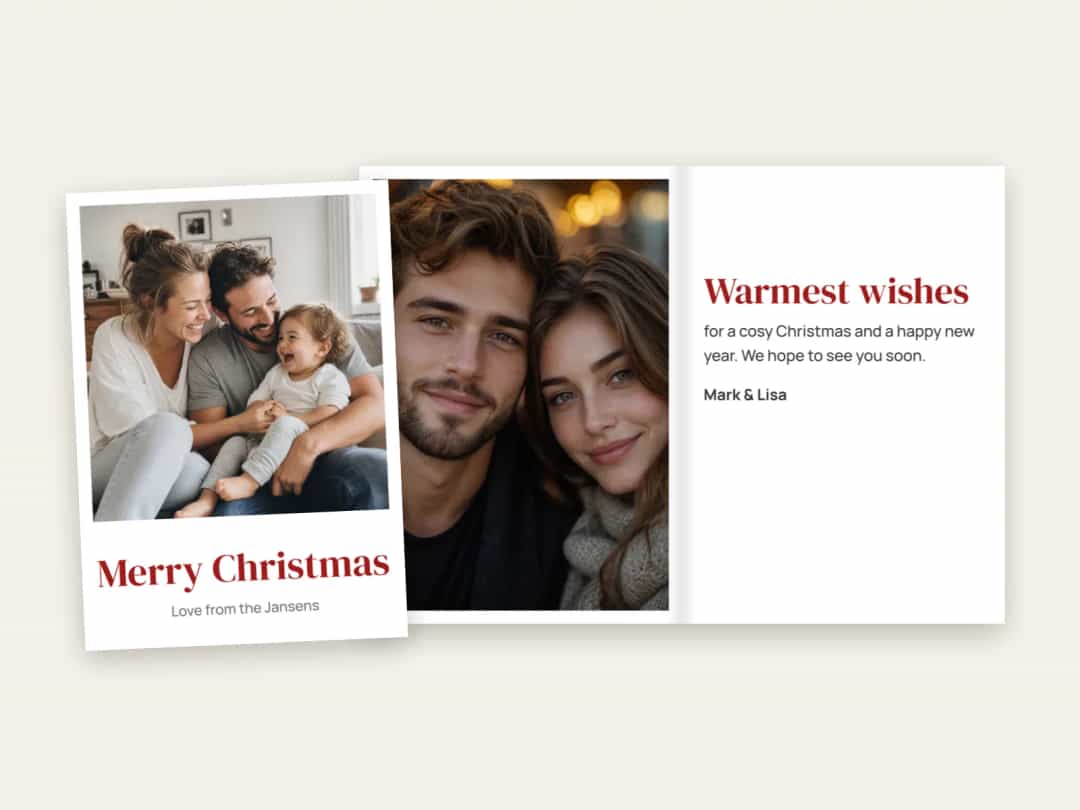
Christmas | Merry Christmas | Wishing you a cosy Christmas and a happy new year. We hope to see you soon. |
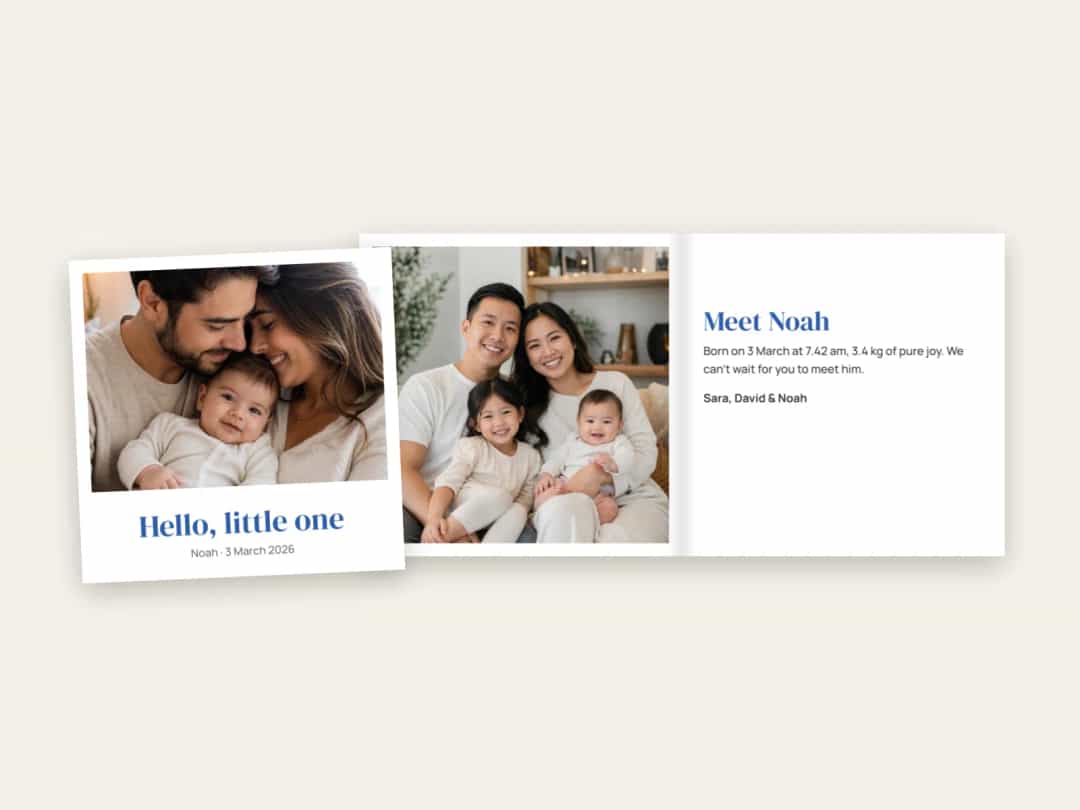
New baby | Hello, little one | Meet Noah. Born on 3 March at 3.42 kg, and already in charge of us all. |
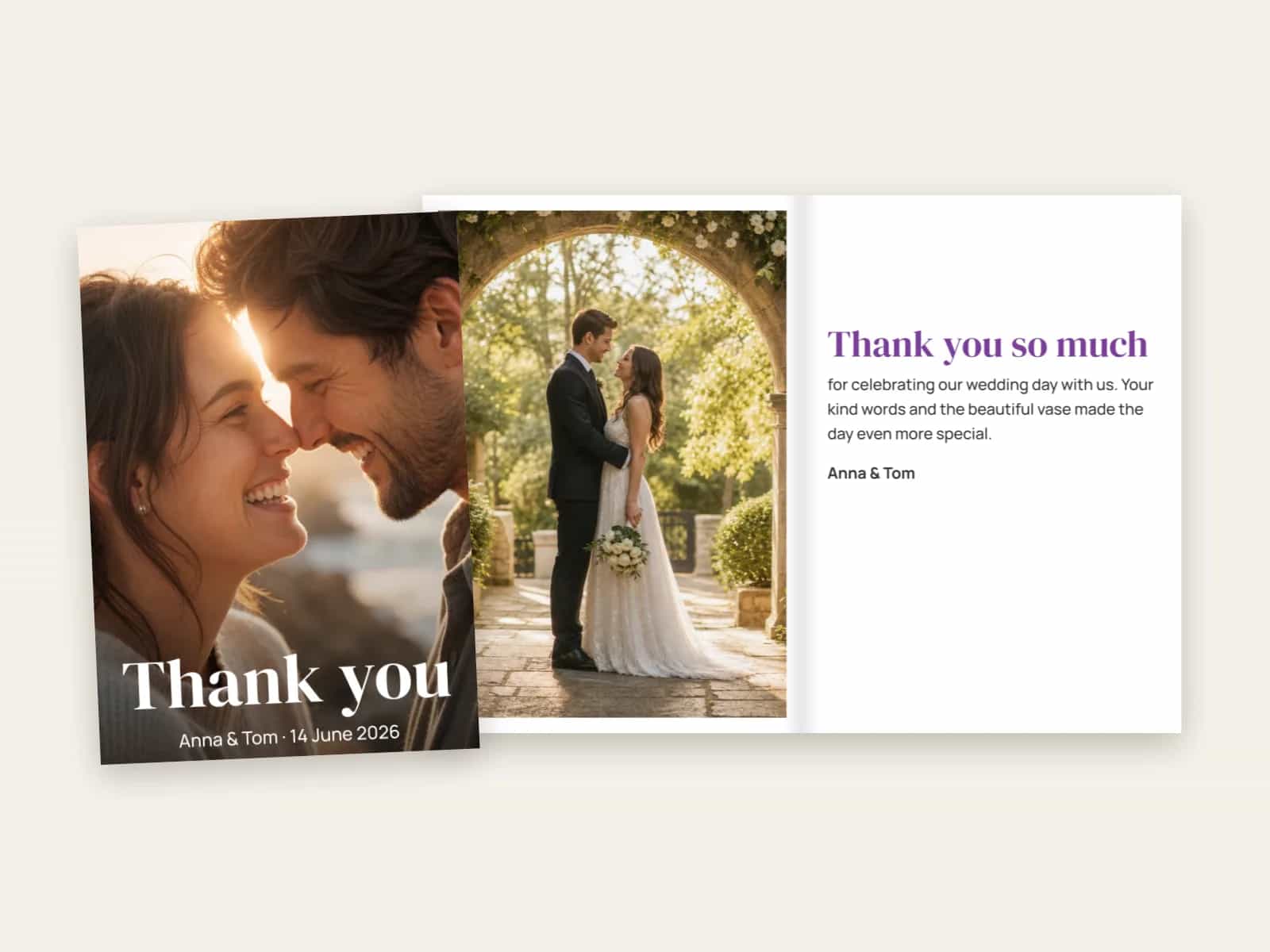
Wedding thank-you | Thank you | Thank you for celebrating our day with us. Your kind words and the beautiful vase made it even more special. |
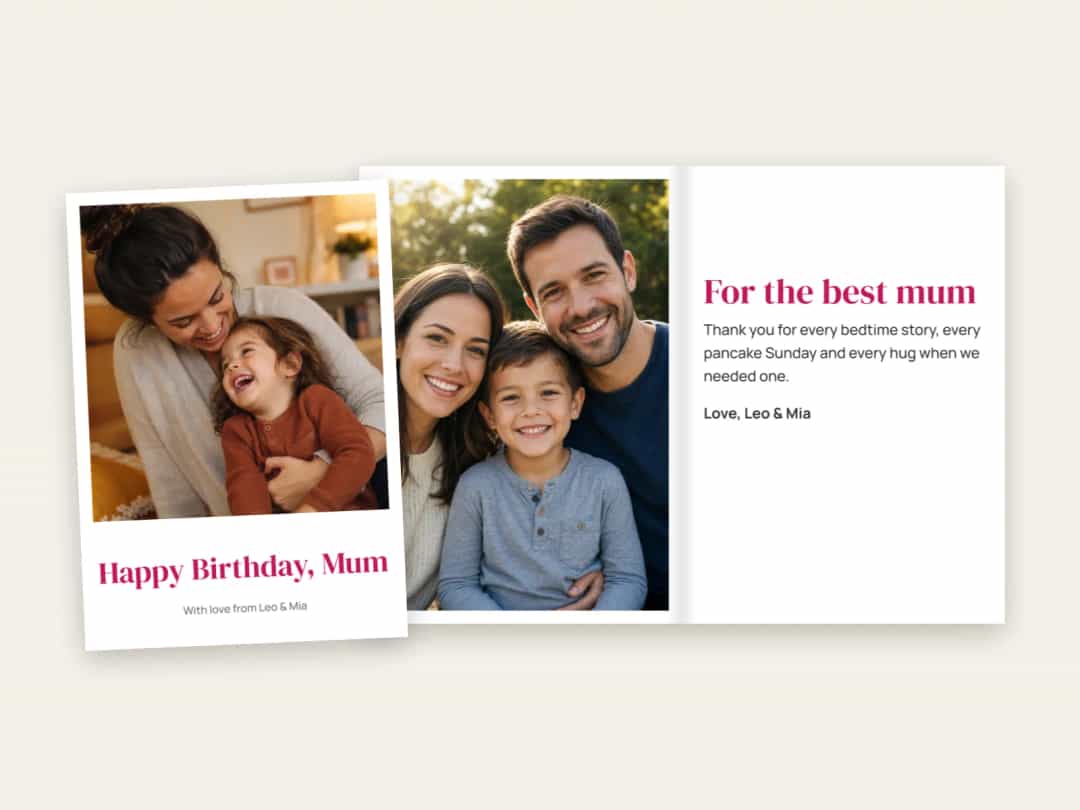
Birthday | Happy Birthday, Mum | Thank you for every bedtime story and every hug when we needed one. |
Anniversary | Ten years | Ten years of trips, coffee dates and holding hands. Here’s to the next ten. |
Because a pack is printed from one design, check that the wording suits everyone who will receive it. On a thank-you card, leave a gap for a handwritten line about each person’s gift, as “the beautiful vase” won’t be right for every guest.
The same advice on writing short, specific lines applies across everything you print. See these text ideas for photo books if you’re stuck.
Choose the Paper and Envelopes
You can choose glossy or matt paper. Glossy makes colours in a photo stand out, while matt feels softer and is easier to read under bright light. The inside stays uncoated in both cases.
For envelopes, you have three choices: standard white, heavier premium ones, or none at all if you’re handing the cards out in person. If you’re posting them, order envelopes with the cards so you have one for each.
When Should You Order?
Allow time for printing, delivery and writing. For Christmas cards, order in November, as you’ll want them in hand well before the last posting dates. For a wedding thank-you or a birth announcement, get the photo first and the cards will follow easily. The delivery time for your country is shown before you pay. If you’re sorting out presents at the same time, these Christmas photo gift ideas may help.
A Final Check
A pack of ten magnifies any mistake, so check these before ordering:
Spelling: read the names, dates and any weights or times one more time.
Fold: make sure no warning remains about text or a face on the fold.
Crop: check the front in the preview, especially foreheads and chins.
Who’s signing: check that the sign-off includes everyone it should.
The message: make sure it works for every person who’ll receive the card.
Make Your Card
Pick a photo and let the AI lay out the front and the inside, with a message box ready for your words. You can then change the fold, paper and envelopes in your browser, with no app to install. Create your greeting cards with Photo9. If you’d rather send something simpler, you can also make postcards with your photos.
FAQ
How do I make greeting cards with a photo?
Choose a size and fold, upload your photo, and let the editor lay out the front and the inside. Add your greeting, type a message or leave room to write by hand, choose paper and envelopes, and check the preview before you order.
Can each of my photo cards be different?
Not within one pack. A pack is ten copies of one design. Different designs are separate packs, and you can order as many as you like.
Can I write inside photo greeting cards?
Yes. The inside is never coated, so any pen works. You can also type a message in the editor and have it printed.
Are envelopes included with custom greeting cards?
If you choose them. You can pick standard white envelopes, heavier premium ones, or order the cards without envelopes.
What’s the difference between a side fold and a top fold?
Portrait cards have a side fold and open like a book. Landscape cards have a top fold and open upwards. Square cards come with either.