Easiest Way to Print Photos From Phone
Easiest Way to Print Photos From Phone
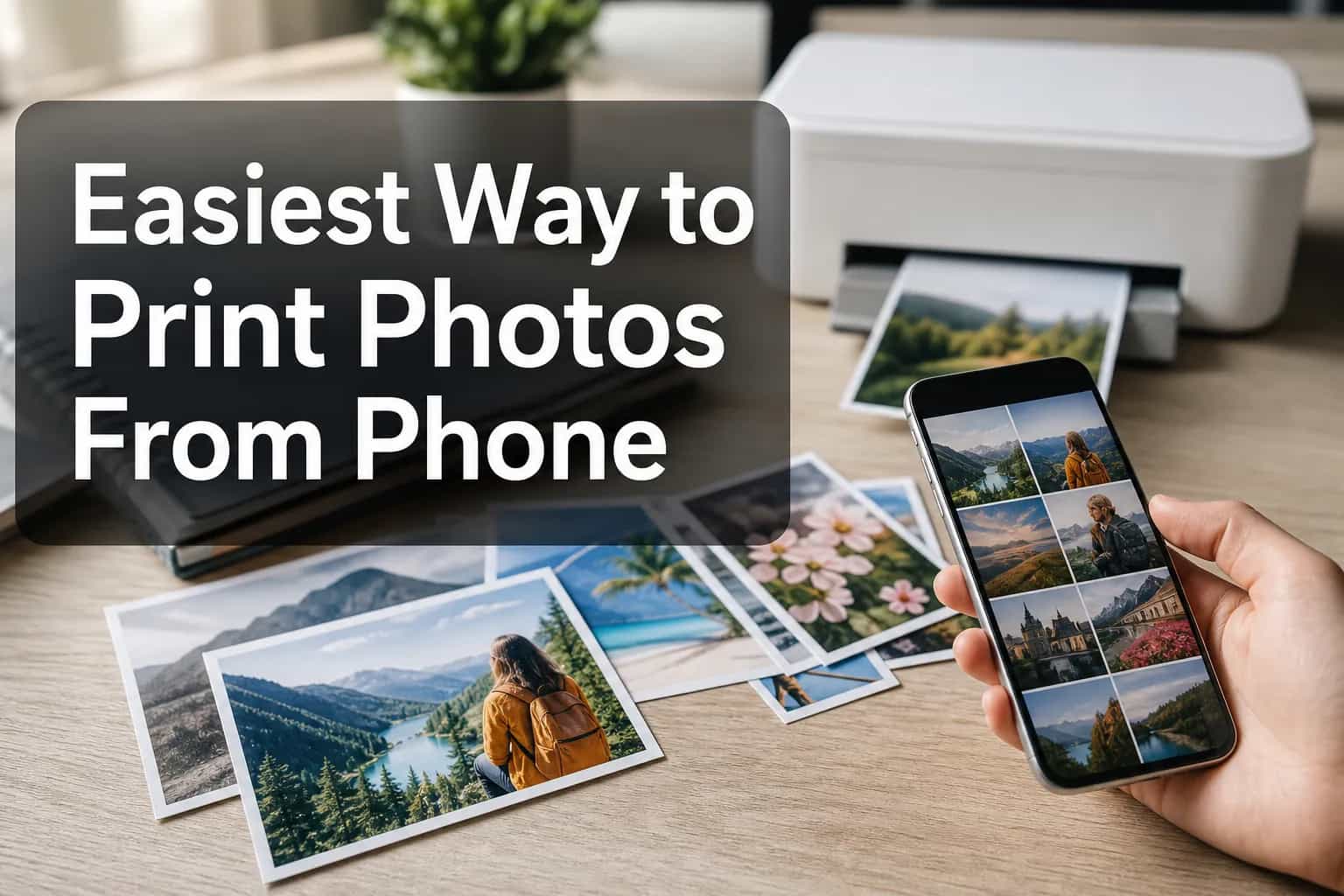
Want to turn the memories sitting on your camera roll into something real? The easiest way to print photos from phone today is to use an online service that lets you upload directly from your browser, choose a format, and check out in minutes. It saves you from printer setup, app downloads, and fiddly design work - especially if you want more than loose prints.
For families, couples, parents, students, travelers, and gift buyers, the challenge usually isn’t taking photos - it’s doing something with them. That’s where modern services like Photo9 stand out: instead of spending hours sorting and arranging images, you can turn phone photos into professional-looking photo books or wall art with AI-generated layouts in seconds, easy browser-based editing, 3D previews, premium materials, and fast, reliable delivery.
What Competitor Guides Get Right - and What They Miss
Most top-ranking articles agree on the basics: you can print pictures from your phone at home, at a local kiosk, with an online print service, or via a portable printer. They also mention simple quality tips like using the original image, checking crop, and choosing glossy or matte paper.
What they often miss is what matters most for real buyers:
The easiest option isn’t always loose prints
Time spent designing is a hidden cost
People often want gifts or keepsakes, not just 4x6 prints
Sustainability, delivery reliability, and preview tools matter
Many users want to create on desktop and mobile without an app
That’s why the best way to print photos from phone depends on your goal, not just the printing method.
The 4 Easiest Ways to Print Photos From Your Phone
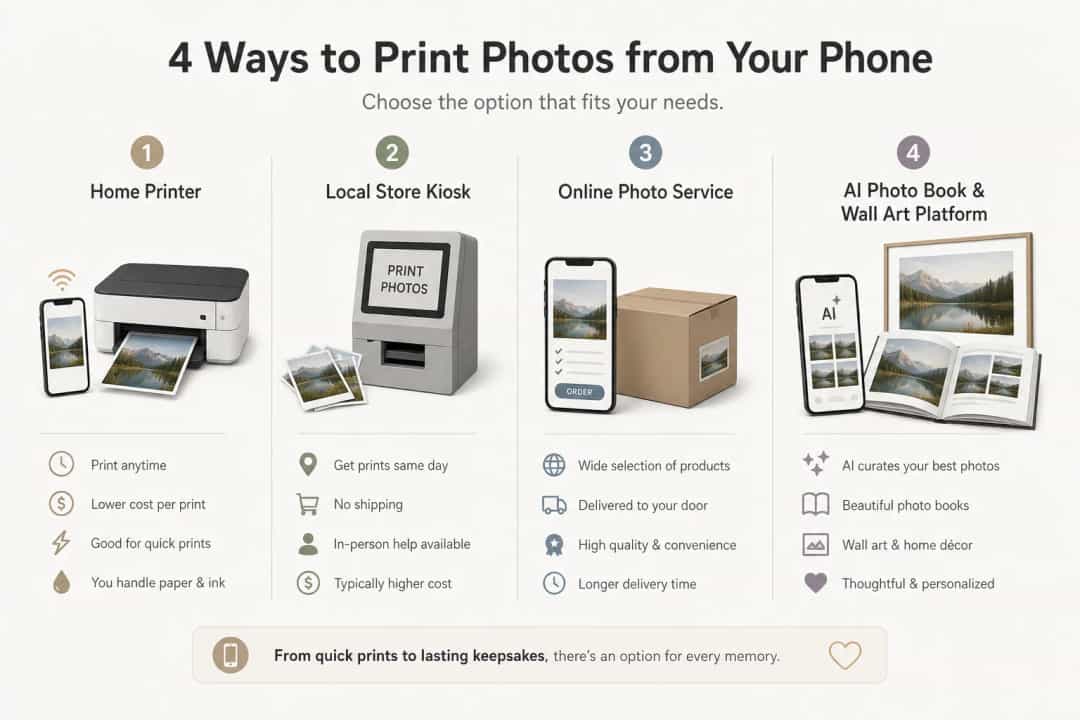
1. Print at home with a wireless printer
If you need a quick single print, this is the fastest DIY option. Make sure your phone and printer are on the same Wi‑Fi network, open the photo you want, tap Share or open the Menu and choose Print, then pick your printer and send it over Wi‑Fi. Many printer brands also offer their own apps - like HP Smart, Canon PRINT, Epson iPrint or Smart Panel, and Brother iPrint&Scan - which can make setup easier and give you more control.
Best for: one-off prints, documents, test shots
Downside: ink costs, paper quality, color inconsistency, and setup issues
2. Use a local store or photo kiosk
Pharmacies, supermarkets, and photo stores are often the quickest way to get pictures printed from phone the same day. You can usually connect by QR code, app, or cable, upload from your device, choose the size, check the crop before you confirm, and collect in minutes or hours with same-day pickup at many locations.
Best for: urgent prints, gifts needed today
Downside: limited customization and inconsistent quality between locations
3. Order photo prints online
If you want affordable, consistent prints, online services are often the cheapest way to print photos from phone in bulk. Upload the photos from your phone, choose your size and finish, review the crop, and place the order for delivery.
Best for: standard prints, better value on larger orders
Downside: you still need to organize images and usually can’t do much beyond basic cropping
4. Use an AI-powered platform for photo books and wall art
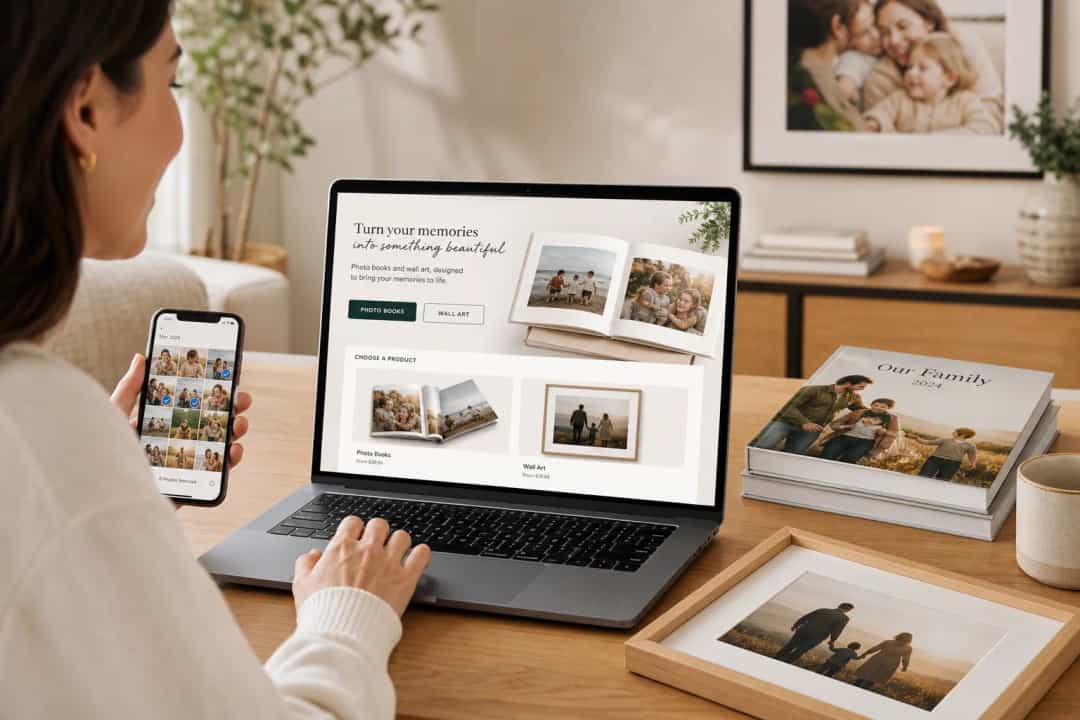
If you want something more meaningful than loose prints, this is often the smartest route. With Photo9, you can upload straight from your phone, let AI build the layout for you, then fine-tune text, backgrounds, maps, and image placement without design experience.
Best for: gifts, family albums, travel books, wedding keepsakes, nursery art, gallery walls
Why it’s easier: no app required, works across devices, professional layouts in seconds, and 3D preview before ordering
Which Option Is Best?
Option | Easiest For | Speed | Cost | Quality Control | Customization |
|---|---|---|---|---|---|
Home printer | One quick photo | Fast | Medium to high | Medium | Low |
Local kiosk | Same-day prints | Very fast | Medium | Medium | Low |
Online print shop | Cheap bulk prints | Medium | Low to medium | Good | Low |
Photo9 | Books, wall art, gifts | Fast setup, shipped | Medium | High | High |
The Best Way to Print Photos From Phone by Need
If you want the cheapest option
The cheapest way to print photos from phone is usually an online print service with bulk pricing. It works well for standard prints, especially if you already have your images organized.
If you want the fastest option
A local store kiosk is usually best when speed matters. If you need pictures from phone printed today, same-day pickup wins.
If you want the easiest option overall
If your goal is a polished keepsake, Photo9 is easier than starting from scratch. You skip the hardest part - manual layout work - and still get full control when you want it.
If you’re on iPhone
The easiest way to print photos from iPhone depends on whether you want simple prints or a finished product. For basic orders, an app to print photos from iPhone can work. But if you’d rather avoid app clutter, a browser-based service like Photo9 gives you cross-device access and a smoother path from camera roll to finished photo book or wall art.
How to Get Better Results When Printing Photos From Your Phone
Use the original photo
Screenshots, social downloads, and chat app images are often compressed. Always start with the highest-quality original.
Match the print format to the image
Phone photos don’t always fit standard print sizes neatly. Check crop carefully so faces, hands, and text don’t get cut off.
Brighten slightly before printing
Photos usually print darker than they look on your screen. A small brightness boost can help.
Don’t over-edit
Heavy filters and oversharpening can look harsh in print. Clean, natural edits usually work best, and a glossy finish can make colors pop while matte is often better for a softer, more natural look.
Why Photo9 Is the Smartest Upgrade From Basic Printing
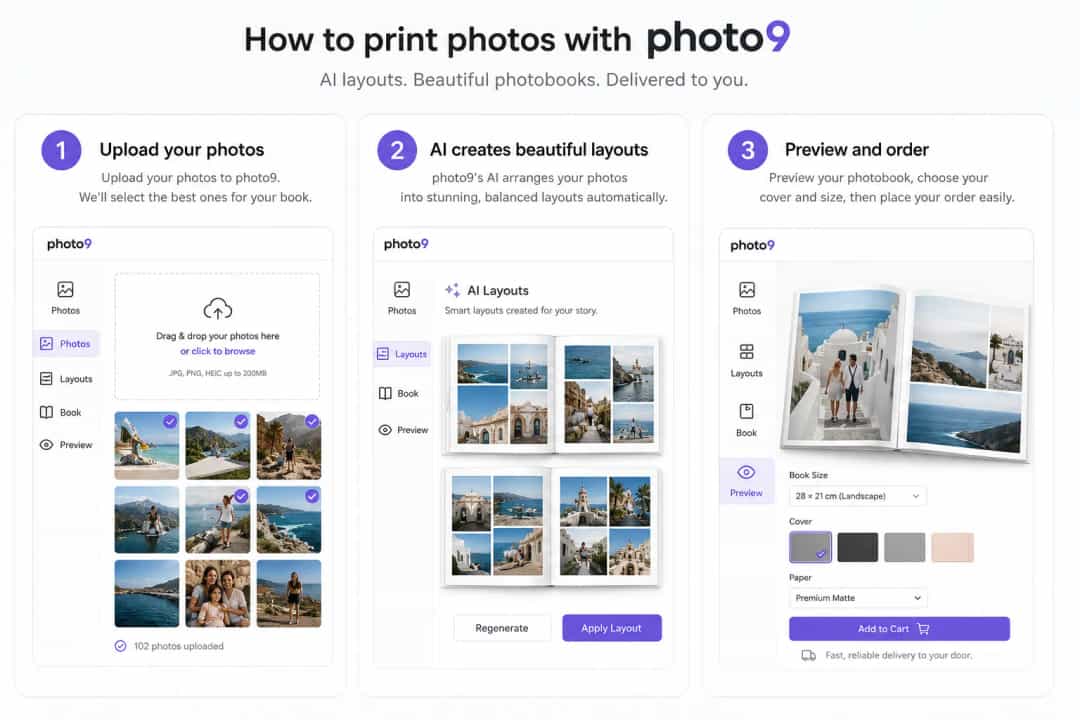
Most people don’t just want to print a photo from phone - they want to preserve a memory beautifully. That’s where Photo9 is different.
With Photo9, you can:
Create fully customizable photo books and wall art
Get AI-generated layouts and smart suggestions in seconds
Design without downloading an app
Move between phone and desktop seamlessly
Add custom maps with location pins for trips, homes, weddings, and milestones
Preview everything in 3D before ordering
Choose from premium formats, themes, and finishes
Enjoy secure payment, fast delivery, and a 100% satisfaction guarantee
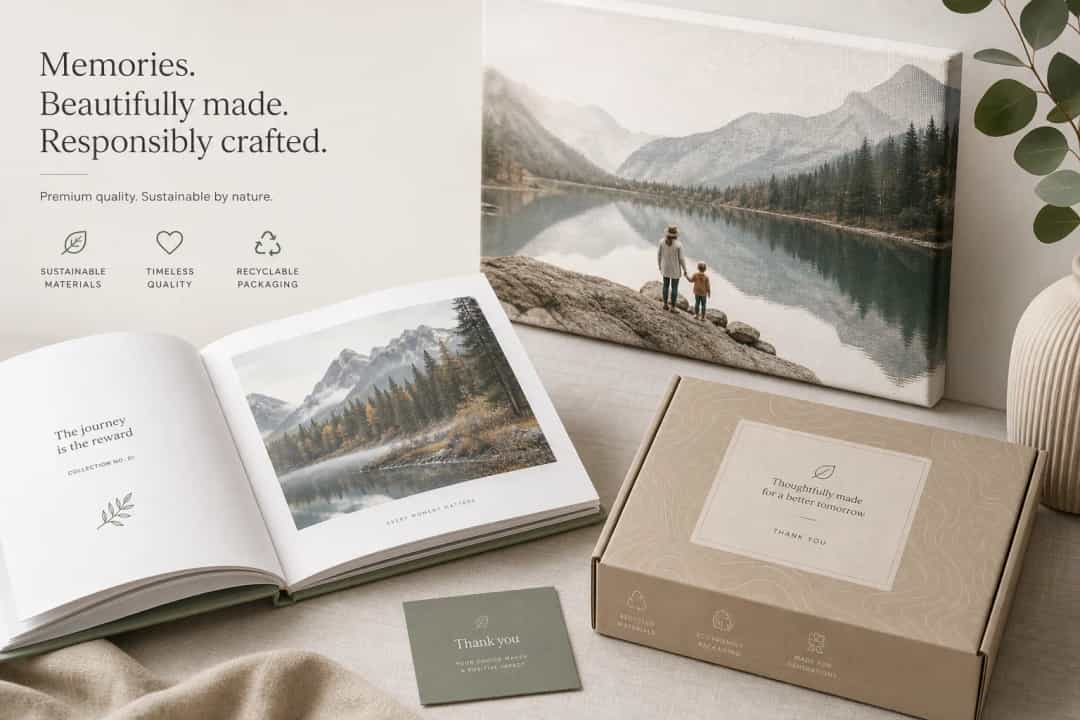
Feel better about your order with local printing where possible, sustainable materials, and recyclable packaging
Best Use Cases for Printing Phone Photos
Family memories
Turn everyday phone photos into yearly albums before they disappear into cloud storage.
Baby and newborn moments
Create a polished photo book fast, even if you’re short on time and sleep.
Travel keepsakes
Use smart layouts and customizable maps to turn trip photos into something worth displaying.
Gifts that feel personal
For birthdays, anniversaries, weddings, or graduations, a custom photo book or wall print feels far more thoughtful than standard prints in an envelope.
Final Verdict
If you simply want a few standard prints, a local kiosk or online print shop may do the job. But if you want the easiest way to print photos from phone and turn them into something lasting, beautiful, and gift-worthy, Photo9 is the better answer.
It combines the convenience of online ordering with the quality of premium print products - and removes the biggest pain point of all: the time it takes to design everything yourself. Upload your photos, let AI do the heavy lifting, customize as much or as little as you like, and turn your best moments into something you’ll actually keep.
Try Photo9 and create a photo book or wall art piece in minutes - not hours.
FAQ
What's the easiest way to print photos from your phone?
Yes - you can print directly from your phone. The easiest way is usually an online platform that lets you upload straight from your phone and order in a few clicks. If you want more than loose prints, Photo9 makes it even simpler with AI layouts, browser-based editing, and 3D preview.
What is the easiest way to get pictures off my phone?
The simplest option is to upload directly from your phone to a web-based service over Wi‑Fi or mobile data. That avoids cables, manual transfers, and extra apps, especially if you want to continue editing on another device later.
Where's the best place to get pictures printed off your phone?
The best place depends on your goal: a local kiosk is best for speed, while an online service is better for value and consistency. For gifts, albums, and wall art, Photo9 is a stronger choice because it combines premium print quality with easy customization.
What is the quickest way to get photos printed?
The quickest way is usually same-day printing at a local store or photo kiosk. If you need a finished keepsake instead of standard prints, ordering online is still fast but requires delivery time.
Where can I get photos printed from my phone quickly?
You can get them printed quickly at pharmacies, supermarkets, and dedicated photo stores that offer same-day service. For a more polished result, you can upload from your phone to Photo9 and order photo books or wall art with fast, reliable delivery.
How fast can photos be printed?
Standard prints can be ready in minutes to a few hours at a local kiosk. Online print orders and custom products like photo books or canvas prints usually take longer because they include production and shipping.