How to Create a Professional Photobook with AI and ChatGPT

How to Create a Professional Photobook with AI and ChatGPT
Turning thousands of digital photos into a polished photo book used to mean learning complex tools and spending hours on layout decisions. Now there’s a simpler way.
With a ChatGPT photobook workflow powered by Photo9 AI, you can describe the book you want, upload your photos, and let AI-assisted tools help organize and refine the result. Instead of learning software, you tell your story.

That makes photo books with conversational AI especially useful for busy parents, couples, travelers, gift shoppers, students, and families who want a beautiful result without design experience. Whether you’re making a wedding album, baby book, travel keepsake, or year-in-review gift, Photo9 helps you create a premium book online with full customization.
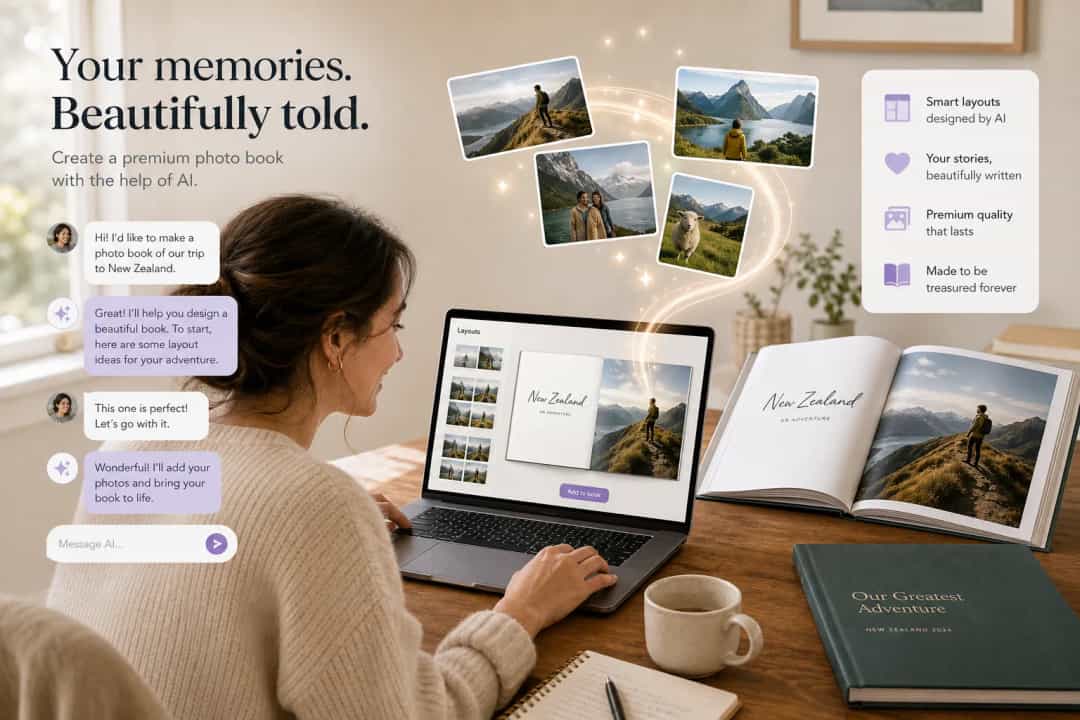
If you want a fast, consumer-friendly way to build a premium book, explore Photo9’s online photo books, designed for easy creation without a separate app.
Why Conversational AI Changes the Photobook Experience
Traditional editors are tool-first and expect you to understand layouts, spacing, and page flow before you start. That can feel overwhelming for meaningful books like weddings, anniversaries, baby albums, or family trips.
A conversational AI photobook workflow flips that around. You simply say what you want, and the system responds to your intent in natural language.
What makes Photo9 different
Photo9 combines AI-assisted product discovery with a conversational design studio. It helps you choose the right format, shape the story, and move faster from idea to finished book.
"In 2025, approximately 2.1 trillion photos were captured worldwide." - Photutorial
That scale shows the real challenge: people don’t need more photos. They need a better way to turn them into something meaningful.
Why More People Want Photo Books With Conversational AI
Most people already have enough photos for a beautiful book. What they usually lack is time, design confidence, or patience for traditional editors.
Photo9 is built for that gap, keeping the process organized so you can focus on the memory, not the mechanics.
That’s why conversational design works well for parents, couples, travelers, and anyone who wants professional design without design skills.
Step-by-Step: How to Create a Professional Photobook with AI and ChatGPT
1. Start inside ChatGPT and open Photo9
Open Photo9 in ChatGPT and describe the photoboo you want in natural language. Simple requests work well.
If you want something timeless and durable, a hard cover photo book is a strong fit for weddings, milestone memories, and gift-quality albums.
2. Use AI-assisted product discovery and selection
After you share your goal, Photo9 helps narrow down the best product type for your occasion.
wedding album
anniversary gift
travel story
birthday keepsake
family yearbook
newborn or baby milestone book
For special occasions, themed options like a wedding photo book can help you create a polished album with emotional impact.
3. Upload your photos
Upload your clearest images and enough variety to tell the story from start to finish.
You do not need to pre-design every spread. The workflow helps organize what you upload into a coherent book.
4. Continue in the Photo9 conversational studio
Inside the studio, Photo9 helps organize your photos, shape the sequence, and build a stronger narrative.

Try prompts like: “Group photos by location” or “Make the design more premium.”
5. Let AI generate the first professional draft
A fast draft makes it easier to refine the book instead of starting from zero.
"Personalized gifts are perceived as 4.2 times more memorable than generic ones." - Amourprint
A thoughtful photo book turns images into a keepsake people actually revisit.
6. Edit the book using natural language prompts
Just tell Photo9 what to change. You still control the text, image order, layout emphasis, theme, and overall mood.
Photo9 handles the heavy lifting, but your story still leads.
7. Review the result in 3D and AR
A realistic preview helps you check cover impact, page density, image flow, and the overall premium feel before you order.
That extra confidence helps bridge the gap between screen and print.
8. Final review and ordering
Confirm the materials, finish, and product details, then place your order with confidence.
After checkout, Photo9 manages production, quality preparation, shipping progress updates, and post-purchase tracking.
How Photo9 Helps You Make a Photobook Look Professional
Professional element | How Photo9 helps |
|---|---|
Strong visual hierarchy | Smart layout suggestions and image sizing |
Story flow | AI-assisted sequence building |
Consistent tone | Theme and style guidance across pages |
Better pacing | Mix of hero images and lighter spreads |
Personal relevance | Prompt-based captions and editable text |
Product realism | 3D preview and AR on supported devices |
If you want the most premium result possible, use fewer but better photos, keep text short, and avoid overcrowded pages.
Product Types You Can Create with Photo9
Photo9 supports the full path from idea to order, so you can create a book that fits the moment.
The Upcoming Release to Watch
Photo9 already offers a conversational design journey, and a full version will also be available directly in standard ChatGPT.
That will make the path from idea to design to purchase even more seamless.
Final Verdict: The Easiest Way to Turn Photos into a Professional Book
If you’ve been delaying a wedding album, travel book, baby memory book, or thoughtful gift because traditional editors feel like work, this workflow is a major upgrade.
Photo9 helps you start with a conversation, discover the right product, upload your photos, generate a polished draft, refine it with natural language, review it in 3D and AR, and order with confidence.
For anyone looking for photo books with conversational AI, Photo9 offers a fast, creative path from camera roll to printed keepsake.
Photo9 lets you tell your story.
FAQ
What photo book app uses AI?
Photo9 uses AI to help people create photo books through a conversational workflow. You describe what you want, and AI helps with product discovery, organization, layouts, and editing.
Which photo books allow text?
Photo9 photo books support captions, chapter titles, and editable text, making it easier to turn a photo collection into a story-led book.
How does AI help make a photo book look professional?
AI helps with structure, pacing, layout balance, and caption suggestions. In Photo9, you can also review the design in 3D before ordering to refine the final result.