
I Want to Make a Book With Text and Photos
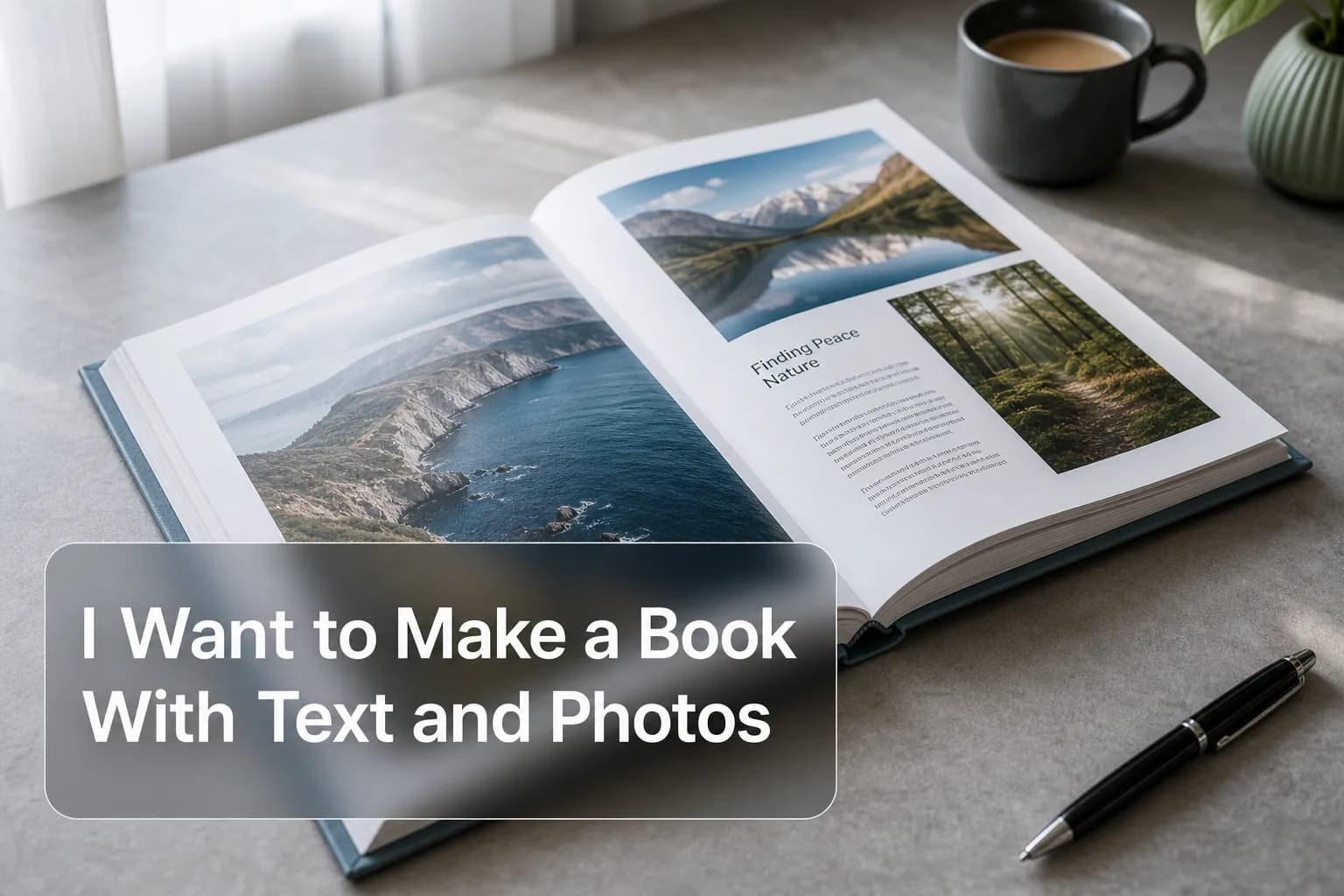
Photo 9
13 min read · June 16, 2026
I Want to Make a Book With Text and Photos
If you’ve been thinking, “I want to make a book with text and photos, but I don’t know where to start,” you’re in the right place.
The good news: creating a meaningful photo book no longer has to mean hours of dragging images around, learning design software, or settling for a generic template. Today, you can turn your favorite moments into a polished keepsake in minutes. Whether you want to make a family photo book, a travel story, a baby memory book, or a thoughtful gift, the right mix of pictures and words turns snapshots into something you’ll actually revisit.
At Photo9, we believe your memories deserve more than staying buried in your camera roll. With AI-powered layouts, smart design suggestions, text customization, 3D preview, premium materials, and easy browser-based editing, it’s now simple to create a book with pictures and text that looks professionally designed without needing any experience.
"Approximately 70% of photos captured on smartphones are never revisited." - Digital Camera World
That’s exactly why so many people want to turn photos into a book: printed memories are easier to share, display, gift, and relive.
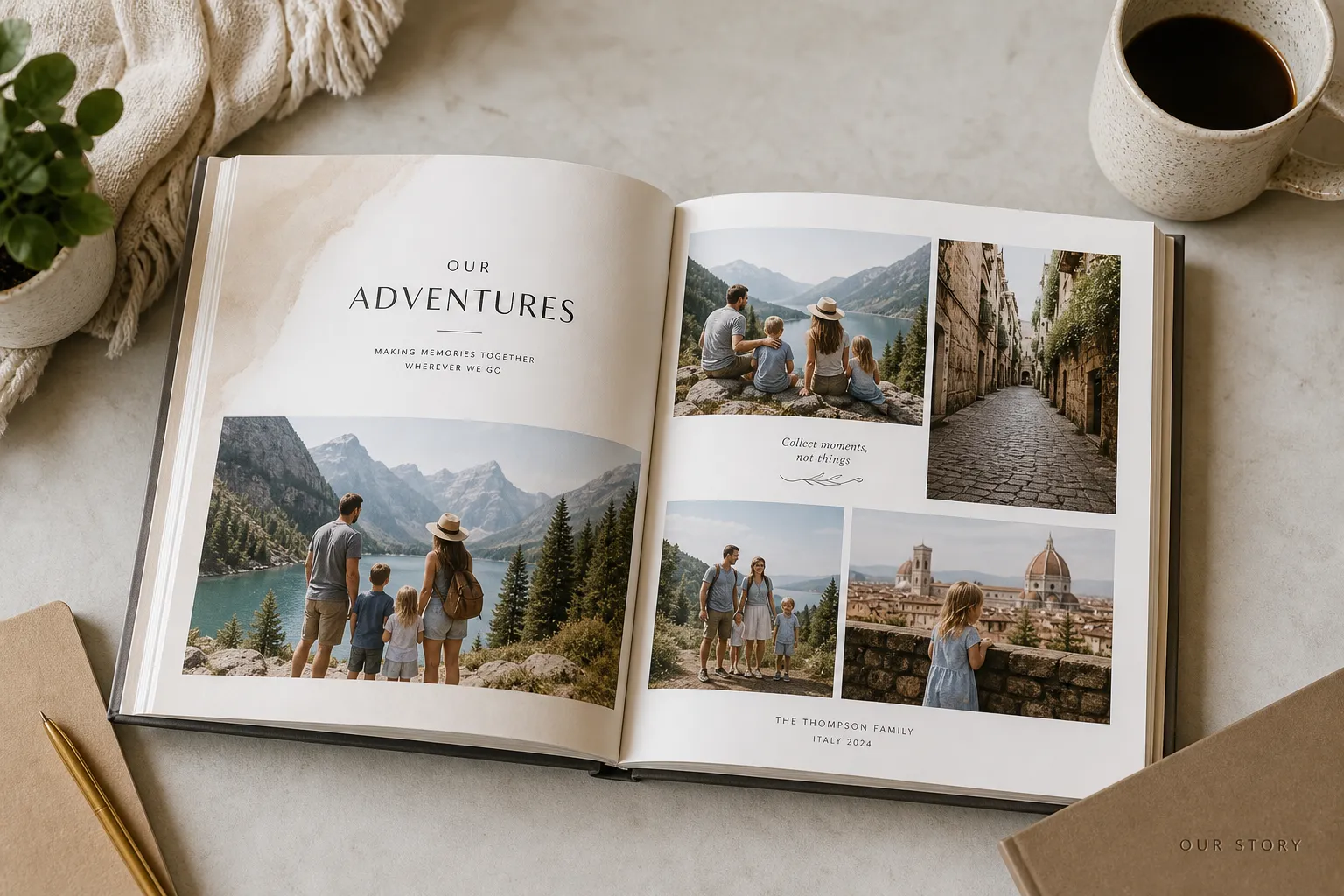
What People Really Mean When They Say “I Want to Make a Book With Text and Photos”
Most people are not just looking to print images.
They usually want one or more of these things:
A simple way to make my pictures into a book
The ability to add captions, dates, quotes, and stories
A design that looks polished without requiring graphic skills
Options to make a hardcover photo book, softcover book, or small gift book
A fast and affordable way to make a photo book cheap without sacrificing quality
A meaningful gift for a partner, parent, child, or friend
A lasting way to organize life events that currently live in scattered folders
That’s why the best solution is not just a printer. It’s a platform that helps you build a story.
If you want more inspiration before you begin, explore these personalized photo book ideas to see how different occasions and themes can shape your project.
Why Text Makes a Photo Book So Much More Meaningful
A photo alone shows what happened. Text explains why it mattered.
Competitor articles often mention captions, but many stop at short examples. What they usually miss is that text can do far more than label a page. It can:
Add emotional context
Preserve names, places, and dates
Explain the story behind candid or imperfect photos
Turn a gift into something deeply personal
Create continuity between pages
Make a photo collage book feel intentional rather than random
What Kind of Text Can You Add?
Here are the most useful text types in a photo book:
Text type | Best use | Example |
|---|---|---|
Short captions | Quick context | “Sunday at Grandma’s house” |
Dates | Anchoring memories | “July 14, 2025” |
Locations | Travel and events | “Lisbon, Portugal” |
Quotes | Gifts and milestone books | “The best is yet to come.” |
Mini stories | Emotional detail | “We nearly missed this train, and somehow it became our favorite day.” |
Headings | Organizing sections | “Summer Road Trip” |
Dedications | Gift books | “For Mom, with love” |
The Best Rule: Write Like You Speak
The strongest photo books usually don’t sound formal. They sound real.
Instead of:
“A pleasant evening by the sea”
Try:
“The night we stayed out way too late and didn’t want to leave”
That simple shift makes your book feel personal, not manufactured.
How to Create a Book With Photos and Text in 6 Easy Steps
Making your own photo book should feel exciting, not overwhelming. Here’s the simplest way to do it.
1. Choose the Story First
Before uploading anything, ask:
What is this book about?
Who is it for?
What feeling do I want it to leave behind?
Your answer shapes everything else.
Common directions include:
Family year in review
Baby’s first year
Wedding story
Travel highlights
Birthday or anniversary gift
Friendship memory book
Graduation or milestone album
If you’re creating a story-led travel keepsake, this guide to a travel photo book that tells your story can help you structure it naturally.
2. Pick the Right Photos
You do not need every good photo. You need the right photos.
Aim for a mix of:
Wide shots for atmosphere
Close-ups for emotion
Detail shots for texture and memory triggers
A few imperfect photos that carry real meaning
Milestone images that anchor the story
A great book is curated, not crowded.
3. Let AI Build the First Layout
This is where Photo9 changes the experience.
Instead of manually placing every image, Photo9 uses AI to generate layouts in seconds, suggest smart groupings, and help you go from photo folder to finished design much faster. That means you can focus on storytelling, not busywork.
This is especially valuable if you want to:
make a custom photo book quickly
build your own photo book without design skills
create my photo book across devices
make own photo book online without downloading an app
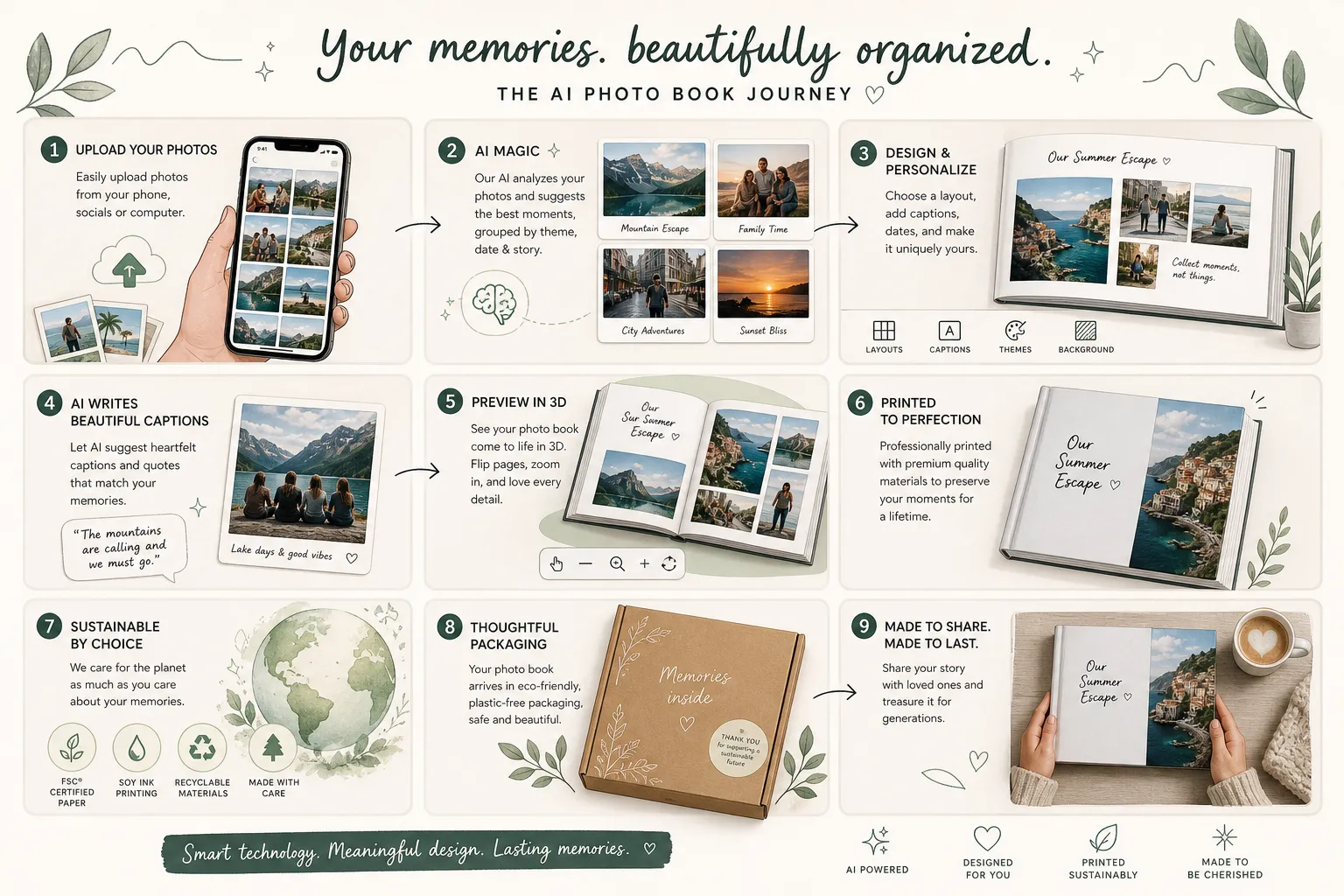
4. Add Text Where It Adds Meaning
You don’t need text on every page.
Use it where it does one of these jobs:
explains something the viewer wouldn’t know
captures a quote or memory
marks a turning point
adds warmth to a gift
helps organize a sequence
A good rhythm is:
title page
section headers
small captions under photo groups
a few longer reflections on key pages
a final note or dedication
5. Customize the Design
Once the structure is in place, personalize the look:
choose a cover style
select background colors
test collage layouts
adjust spacing
preview typography
review the book in 3D before ordering
Photo9 is built for that sweet spot: easy enough for beginners, flexible enough for people who want control.
6. Review Before You Print
Before finalizing, check:
spelling
image quality
caption consistency
page balance
duplicate shots
cover title
alignment of key text areas
A 10-minute review can make the whole book feel far more premium.
Best Photo Book Ideas for Text and Pictures
Competitor articles often give generic caption ideas by occasion. That’s useful, but readers also need help choosing the right format of story. Here are stronger, more strategic ideas.
Family Yearbook
Perfect if you want to make a family photo book that captures the everyday, not just big events.
Include:
monthly highlights
school moments
family trips
funny quotes from kids
little rituals and routines
Best text style:
short, warm captions
date markers
one reflective intro page
Travel Story Book
Ideal if you want to make a book out of your photos from a vacation, honeymoon, road trip, or solo adventure.
Include:
routes and locations
food highlights
favorite day memories
quotes from the trip
“what we didn’t expect” notes
Best text style:
location headings
diary-like mini paragraphs
a mix of practical and emotional notes
Baby Memory Book
A timeless option for new parents.
Include:
milestones
first smiles, first steps, first holidays
notes to your child
height and weight markers
funny or surprising moments
Best text style:
loving notes
short milestone captions
letters from parents
Wedding or Anniversary Book
Great for couples who want more than a standard album.
Include:
vows or excerpts
little moments guests missed
speeches or notes
timeline of the day
reflections afterward
Best text style:
elegant headings
meaningful quotes
personal narration
Birthday or Gift Book
Excellent when you want to make a photo book gift.
Include:
highlights from a year or a relationship
messages from friends or family
inside jokes
then-and-now photos
reasons you appreciate the person
Best text style:
playful captions
heartfelt dedications
short stories
Text Ideas You Can Actually Use
If you want to make a book with photos and text but feel stuck on wording, start here.
Simple Caption Starters
First day of…
We didn’t plan this, but…
Still one of my favorite moments
The photo doesn’t show…
This was the day we…
Somehow this became the memory we still talk about
Tiny moment, big memory
Exactly how I want to remember it
Section Headings
A Year Full of Us
Small Moments, Big Love
The Trip We’ll Never Forget
Where It All Began
Baby’s First Chapter
Our Favorite Days
Growing Together
The Story So Far
Dedication Ideas
For you, so these moments always stay close
A little book of big memories
For the days we never want to forget
Made with love, laughter, and way too many camera roll screenshots
Photo Book Layout Tips That Competitors Often Skip
Many articles explain how to add text, but not how to design around it well. This is where books can quickly start to look amateur. Here’s how to avoid that.
Use Visual Rhythm
Alternate between:
full-page photos
collage spreads
text-led pages
white-space-heavy pages
That rhythm keeps the book engaging.
Match Text Length to Photo Energy
Busy collage page? Keep text short.
Single emotional image? Give it room with a longer caption if needed.
Don’t Force Symmetry on Every Spread
A little variation feels more editorial and modern. AI-generated layouts can help create that natural balance faster than manual drag-and-drop.
Leave White Space
White space does not mean wasted space. It makes your photos and words feel more premium.
Use One to Two Font Styles Only
Too many styles make the book feel messy. Keep it clean and consistent.
If you want to avoid the most common layout and text issues, read these mistakes to avoid in photo books that allow text.
Hardcover, Softcover, or Small Format?
The best format depends on what you’re making.
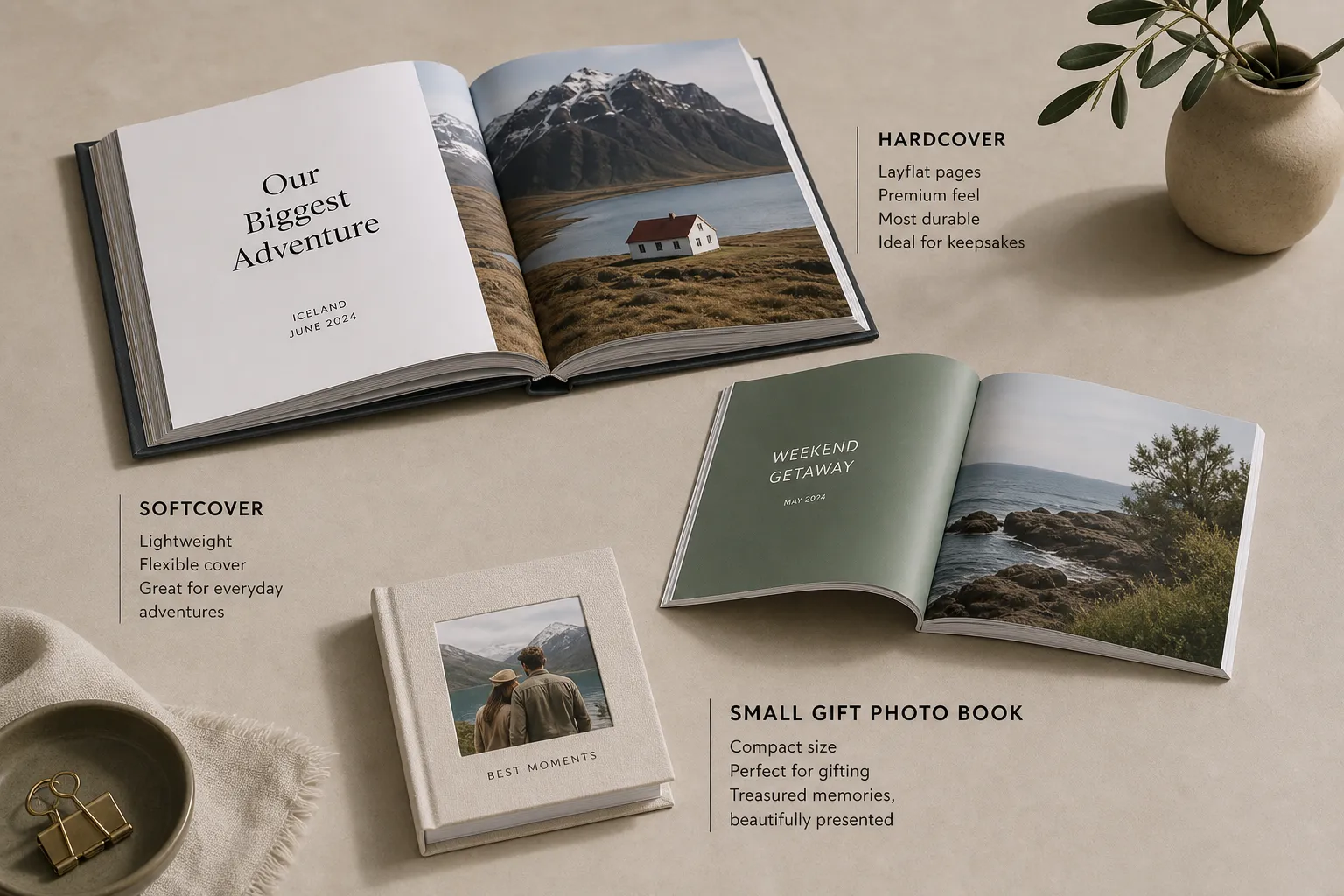
Format | Best for | Why choose it |
|---|---|---|
Hardcover photo book | Weddings, yearbooks, milestone gifts | Feels premium, durable, display-worthy |
Softcover photo book | Travel books, casual family albums, affordable gifts | Lightweight, flexible, often more budget-friendly |
Small photo book | Party favors, mini gifts, simple memory books | Cute, portable, cost-effective |
When to Make a Hardcover Photo Book
Choose hardcover if you want to:
make a book of my photos that lasts for years
give a premium gift
display the book on a shelf or coffee table
preserve a wedding, anniversary, or baby milestone book
When Softcover Makes Sense
Softcover is ideal if you want to:
make a photo book cheap
print several copies
create an easy annual album
keep the book lighter and more casual
Can You Make a Digital Photo Book Too?
Yes, and for many people, the best process starts digitally.
When people search for “make a digital photo book,” they usually mean one of two things:
Build the book online before printing it
Keep a shareable digital version as well
A strong modern workflow is:
upload photos from your phone or computer
let AI organize the draft
edit text and layouts in the browser
preview in 3D
order the printed version
keep the project saved for reorders or future edits
That’s especially useful for busy families, long-distance couples, and gift buyers who want speed without giving up personalization.
How to Make a Photo Book Cheap Without Looking Cheap
This is a huge content gap in competitor posts. They mention affordability, but not how to save money strategically.
Here’s how to lower cost while keeping the result beautiful:
Be More Selective With Photos
Fewer, stronger images often look better than cramming in everything.
Choose Softcover for Everyday Projects
If the moment doesn’t require a luxury finish, softcover is often the best value.
Keep Page Count Focused
Every added page should earn its place.
Use Smart Layouts
AI-generated layouts can reduce design time and help you avoid expensive trial-and-error.
Order With Intention
Create once, review carefully, then print confidently.
Cheap should mean efficient, not disposable.
Why Photo9 Is a Smarter Way to Build a Photo Book
A lot of services let you upload photos. Fewer actually help you create something beautiful quickly.
Photo9 is built for people who want professional results without professional effort.
What Makes Photo9 Different
AI-generated layouts in seconds so you don’t start from a blank page
No app required for easy online creation
Cross-device access so you can start on one device and continue on another
Smart layout suggestions based on your photos
Easy text customization for captions, stories, and headings
3D preview so you know what you’re ordering
Multiple product formats and themes for gifts, milestones, weddings, travel, and more
Premium materials and high print quality
Fast, reliable delivery
Secure payment
100% satisfaction guarantee
Local printing when possible to reduce emissions
Sustainable materials and recyclable packaging
"67% of consumers prefer paper packaging for its compostability and biodegradability." - Ruskin Group
That matters because a modern photo product should feel good in every sense: beautiful to receive, durable to keep, and more responsible to produce.
Sustainable Memory-Keeping Matters More Than Ever
People don’t just want convenience anymore. They want to know the product they’re buying reflects their values.
That’s why Photo9’s approach matters:
local production where possible
lower-emission fulfillment
FSC-certified materials
recyclable packaging
durable quality meant to last, not be replaced
A photo book is already a more intentional object than a forgotten digital folder. When it’s made responsibly, it becomes an even better choice.
Final Thoughts: Yes, You Can Make a Book With Text and Photos Easily
If you’ve been putting this off because it seemed too time-consuming, too technical, or too expensive, this is your sign to start.
You do not need design skills to make your own photo books. You just need:
a clear story
a thoughtful photo selection
a few simple words
a tool that makes the process easy
With Photo9, you can turn your photos into a book in minutes, customize it to feel truly personal, preview it in 3D, and order with confidence. Whether you want to make a hardcover photo book, a small photo book gift, or a digital-first memory project, the process can be fast, creative, and genuinely enjoyable.
If you’re ready to stop letting your best memories sit unseen on your phone, start creating a photo book that finally gives them a place to live.
FAQ
How to create a photo book with text?
Start by choosing your story, occasion, and best photos, then use a photo book builder to arrange them into pages. Add captions, dates, quotes, and short notes where they give context, and use tools like AI layouts and 3D preview to make the design faster and more polished before printing.
How to make a book with pictures?
To make a book with pictures, first select a clear theme such as family, travel, baby, wedding, or gift memories. Upload your images, choose a format like hardcover or softcover, let the layout build automatically if available, then customize the cover and pages before ordering your printed book.