Create a Photo Book Online With Text Ideas
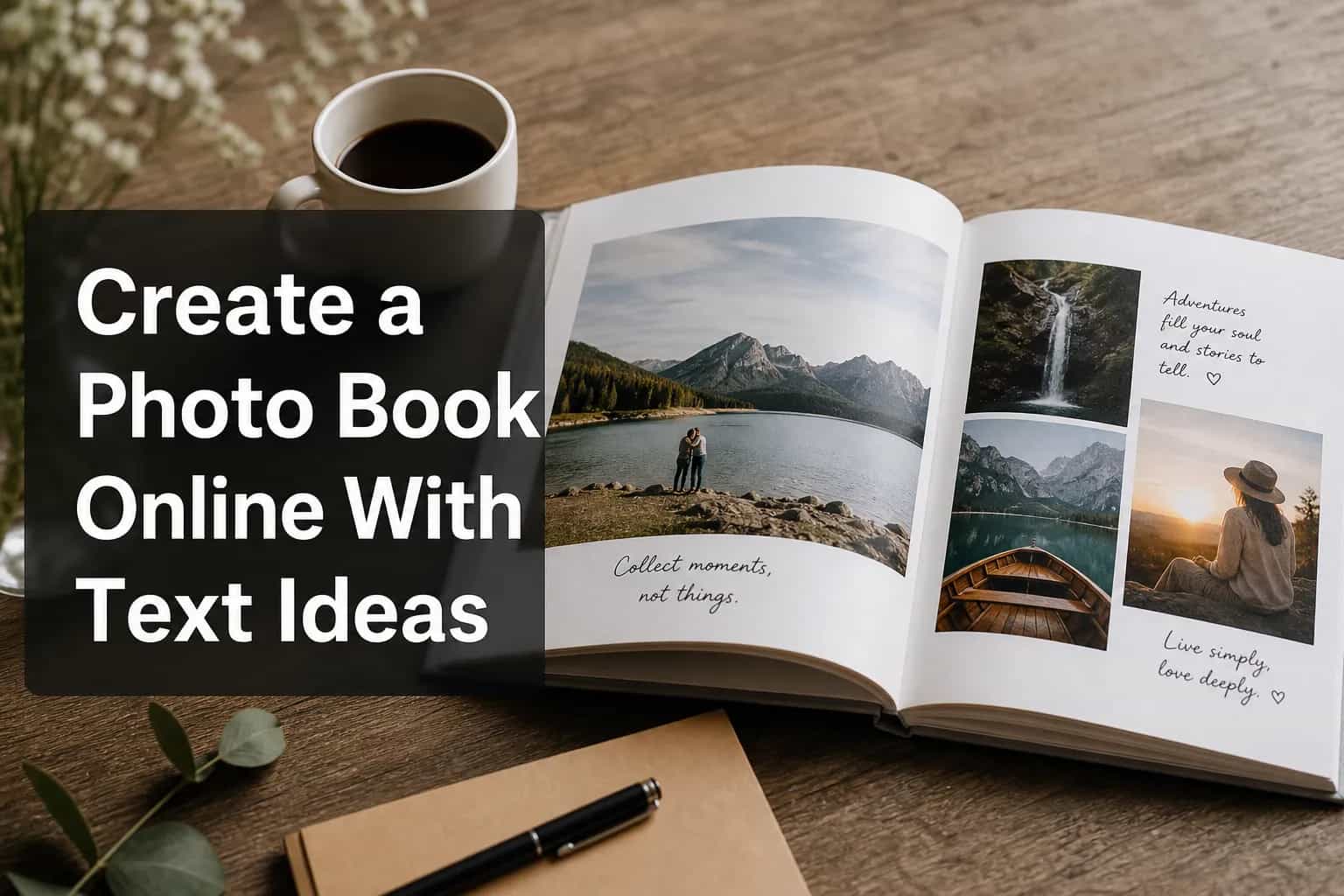
Create a Photo Book Online With Text Ideas
How to create a photo book online with text
Learn how to create a photo book online with text using a simple, modern workflow.
See what kinds of text work best: captions, dates, quotes, messages, and short stories.
Keep your photo book with text readable in print with the right layout, spacing, and format.
The first time I made a photo book with text, I treated the words like an afterthought. The result looked nice, but it didn’t feel personal. The best photo books aren’t just visual - they tell a story. A strong photo book with text turns images into a keepsake people actually want to revisit.
If you want to create a photo book online with text, the good news is that it’s easier than ever. With the right workflow, you can add captions, dates, quotes, messages, short stories, and dedication pages without making the design feel crowded. This guide shows you how to plan the writing, choose the right layout, keep text readable, and prepare everything for print in Photo9.
For families, couples, new parents, travelers, and gift buyers, the biggest challenge is usually time. Sorting photos, writing captions, and designing pages can take hours. That’s where Photo9 helps: AI-generated layouts in seconds, no app required, smart suggestions, cross-device editing, and a polished result even if you’re not a designer.
“Prints and photo books remain among the most popular personalized gift categories because they combine emotional value with everyday usability.” - Deloitte Digital
Why text matters more than most people think
Photos show what happened. Text explains why it mattered. That’s the real value of a photo album with text - it preserves the details pictures can’t fully hold.
what your child kept saying all summer
what your partner said before the proposal
why a rainy trip became your favorite trip
the recipe behind a family meal
a message you want someone to read years from now
That’s what separates a basic photo display book from a true photo story book with text.
What the best photo book guides do well
Most strong guides show the same useful things: text adds emotion, captions help readers get started, format choices matter, and easy tools reduce friction. Those are all important - but they often stop short of the hardest part: making words feel natural without hurting the design.
The gap they often leave open
That’s the real challenge. This guide focuses on how to structure a photo memory book with text, how much writing belongs on a page, what kinds of text work for different occasions, and how to use AI layout tools without losing the personal voice.
What makes a great photo book with text and pictures?
The best books do three things well:
They guide the eye with a clean layout.
They preserve emotion with short, specific writing.
They feel designed, not chaotic.
That balance is why automation helps when it’s done well. With AI-powered photo books, you can generate layouts quickly, then fine-tune the text, backgrounds, and details yourself. The sweet spot is fast structure plus human storytelling.
The easiest way to create a photo book online with text
If you want speed and quality, use this workflow.
1. Start with the story, not the layout
Before you upload anything, decide what the book is for. Is it a family yearbook, wedding story, baby milestone book, travel diary, birthday gift, or remembrance book? When the purpose is clear, the text becomes much easier to write.
A family yearbook usually needs dates, quick captions, and milestone notes.
A wedding book works well with vows, speeches, and reflections.
A travel book benefits from locations, sensory details, and story notes.
2. Upload more photos than you think you need
It’s easier to cut than to invent. Upload generously, then let AI surface the strongest moments. Photo9 helps by sorting and arranging quickly, so you can focus on choosing the best images and writing the best text.
3. Build your text in layers
This is the simplest way to keep a photo album book with text readable:
Title: 2-8 words
Caption: 1 sentence
Mini story: 2-4 sentences
Full page note: 50-150 words
Intro or dedication: 100-300 words
Layering keeps the book from feeling either too empty or too dense.
Text ideas that make a photo book feel personal
Not every idea belongs in every book, but good photo story albums usually use a mix of these.
1. The story behind the shot
Explain what happened just before or after the photo.
2. One-line captions that sound like you
Skip generic labels. Write the way you talk.
3. Messages to your future self
Great for year-in-review, graduation, and kids’ books.
4. Tiny family quotes
Write down the funny, weird, perfect things people actually said.
5. Letters to a person
Dedication pages work especially well for weddings, babies, anniversaries, and memorial books.
6. Timeline markers
Dates, ages, places, and milestones help organize a photo album memory book.
7. Sensory details
Small details - weather, smells, sounds, food - make memories feel real fast.
8. Funny failures
Missed trains, burnt candles, toddler chaos: these moments often make the book more human.
9. Recipe snippets
Ideal for family books built around food and tradition.
10. “Then and now” reflections
Useful for anniversaries, school milestones, and family history books.
11. Gratitude notes
Short thank-you messages can make a photo book with messages feel warm and personal.
12. Song lyrics or meaningful lines
Use carefully and only when they fit the tone.
13. Place-based headings
Clean and effective for travel books.
14. Section intros
A short opening paragraph gives the book rhythm.
15. A final closing page
End with a thought or message so the book feels complete.
What to write for different types of photo books
This is where many people freeze, so here’s the short version.
For a family photo book
A photo book family project works best when it feels lived-in. Use ages, dates, school moments, funny sayings, seasonal highlights, and what changed this year. A year in review photo book is a simple format for this.
For a baby or child memory book
Use firsts, milestones, nicknames, sleep chaos, favorite toys, and short notes from parents or grandparents. The sweetest pages are often the least formal.
For a wedding or anniversary book
Use vows, toasts, why certain moments mattered, what surprised you, and notes to your partner. Focus on how the day felt, not just how it looked.
For a travel photo book
Use location headers, foods you tried, weather, what went wrong, what you’d go back for, and the mood of the place.
For a birthday or gift book
Use messages from friends, memories from different life stages, inside jokes, and short notes beside photos. A personalized birthday photo book is a natural fit for this style.
How much text is too much?
Most people either underwrite or overwrite. A photo book with lots of text can work well, but only if the design leaves enough space.
High-impact photo pages: little or no text
Story pages: moderate paragraph text
Transition pages: short title and intro
Closing/opening pages: longer personal writing
If a page feels crowded on screen, it will usually feel worse in print. That’s why preview tools matter. Photo9’s 3D preview makes it easier to judge readability and spacing before you order.
"Consumers are increasingly willing to pay more for personalized products that feel unique and emotionally meaningful." - McKinsey & Company
Caption ideas you can actually use
Here are a few flexible lines and prompts.
Short caption starters
The moment before everything changed
Still one of my favorite days
Not perfect, which is why I love it
The photo doesn’t show how loud this was
Five minutes after this, chaos
Worth the early alarm
The best part wasn’t in the itinerary
Exactly how I want to remember it
Longer text prompts
What do I never want to forget about this day?
What would someone not know from the photo alone?
What made this ordinary moment meaningful?
What were we laughing about?
What changed after this?
Design tips for photo books with text pages
A beautiful photo book with text pages is usually about restraint.
Keep fonts simple
Use one font for titles and one for body text. More than that usually adds noise.
Place text with purpose
Use captions below photos, short overlays for emphasis, full pages for letters, and mixed layouts when you want both image and story.
Use white space generously
Text-heavy pages need room to breathe.
Match tone to occasion
A playful family book can be casual and colorful. A wedding or memorial book usually works better with a quieter style.
Make text easy to read
Use strong contrast, avoid tiny type, and consider matte paper if your book has longer passages. Matte often reduces glare and feels easier to read.
Don’t center every paragraph
Centered text can look elegant in small amounts, but left alignment is easier for long reading.
Let some pages stay silent
Not every page needs a caption. Some photos should just breathe.
Choosing the right format for a photo book with words
The print format affects readability more than people expect. If your project is a photo book with words, choose the format that fits the story.
Softcover
Best for casual gifts, yearly family books, travel journals, and lighter projects. A softcover photo book is affordable, easy to share, and still polished.
Hardcover
Best for milestone events, wedding books, memory books, and gifts meant to last. Hardcover feels more substantial when the writing matters.
Large formats
Best for coffee-table-style books, bigger images, and layouts where text sits beside photos instead of on top of them.
Why AI makes this easier without making it impersonal
AI should remove the boring work, not the personal part. That’s where Photo9 is especially useful.
layout generation
smart page suggestions
quick composition
cross-device continuity
design support without needing an app
The heart of the book still comes from you: your captions, your message, your photo choices, your edits, and your finishing decisions.
What to look for before you print a photo book with text
Before you order, check these basics:
1. Readability
Zoom in and make sure every block of text is easy to read.
2. Page rhythm
Mix image-heavy pages with text-heavy ones.
3. Story logic
Make sure the book moves clearly from one moment to the next.
4. Material quality
Crisp text, strong paper, and durable binding make a big difference.
5. Delivery and trust
Look for secure payment, reliable shipping, and a satisfaction guarantee.
Photo9 also supports this practical side with premium materials, high print quality, secure checkout, fast delivery, local printing where possible, and sustainable packaging.
Mistakes I’d avoid if I were starting again
A few lessons stand out:
Writing captions that could belong to anyone
If a caption could fit any photo, it’s too generic.
Using too many photos per page
Crowding weakens both the images and the words.
Saving all meaningful text for the first page
Spread emotional moments throughout the book.
Ignoring the ending
The last page matters more than people think.
Overdesigning
Clean and well-edited almost always feels more premium.
Final thoughts: make it personal, then make it easy
If I were making a photo story book today, I’d focus less on sounding impressive and more on sounding real. People remember honesty, not cleverness.
The best photo books with text combine emotion and clarity: enough writing to preserve meaning, enough design discipline to keep things beautiful, and enough flexibility to make the book feel like your story - not a template.
Photo9 is built for that kind of modern memory-keeping: AI-generated layouts in seconds, easy online creation without an app, customizable books and wall art, smart suggestions, 3D preview, premium print quality, fast delivery, secure payment, and a satisfaction guarantee.
If you’re starting from scratch, don’t wait for a perfect project. Pick the photos. Write the real captions. Let the tools handle the heavy lifting. Then make something you’ll actually want to hold.
FAQ
How do I make a photo book with text?
Choose your story, upload your photos, and add captions, dates, quotes, and a few longer notes where they matter most. Use flexible layouts so the text stays readable.
What kind of text should I add to a photo book?
Use specific text: short captions, names, dates, locations, messages, and the story behind the photo. A dedication or closing note can add extra meaning.
Can I add text to a photo book?
Yes. Most photo book builders let you add captions, headings, quotes, and full text pages. The key is keeping enough space and contrast.
What is the best layout for a photo book with text?
It depends on the story. Captions under photos work well for simple pages, overlays suit short emphasis lines, and full text pages are best for letters or reflections.
What paper is best for a photo book with lots of text?
Matte paper is often the best option because it reduces glare and makes longer text easier to read.
How much text is too much in a photo book?
There’s no fixed limit, but if text starts competing with the photos or becomes hard to scan, split it across more pages.