
Make Your Own Wedding Photo Album Ideas
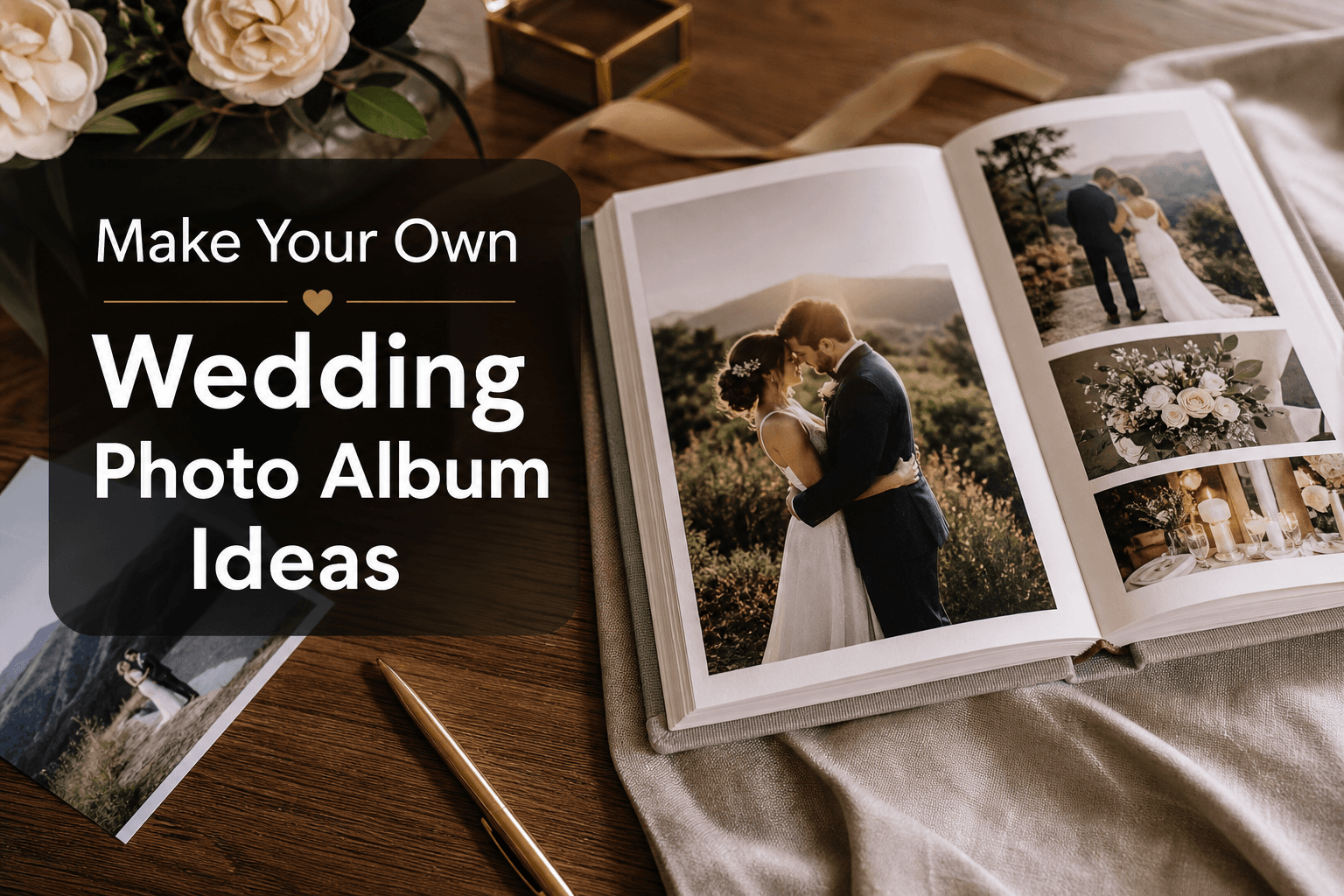
Photo 9
12 min read · May 21, 2026
Make Your Own Wedding Photo Album Ideas
Your wedding photos deserve more than a folder called “Final Final Edited 2.” If you want to make your own wedding photo album or make your own wedding photo book, the goal is simple: turn hundreds of beautiful images into a story you’ll actually revisit for years.
The challenge for most couples is not a lack of photos. It’s knowing which images to choose, how to organize them, what layouts work, and how to make the album feel elegant instead of overwhelming. That is exactly where a smarter workflow helps. With Photo9, couples can create professional-looking wedding albums online in minutes using AI-generated layouts, smart suggestions, full customization, 3D preview, and premium print quality, without needing design skills or even an app.
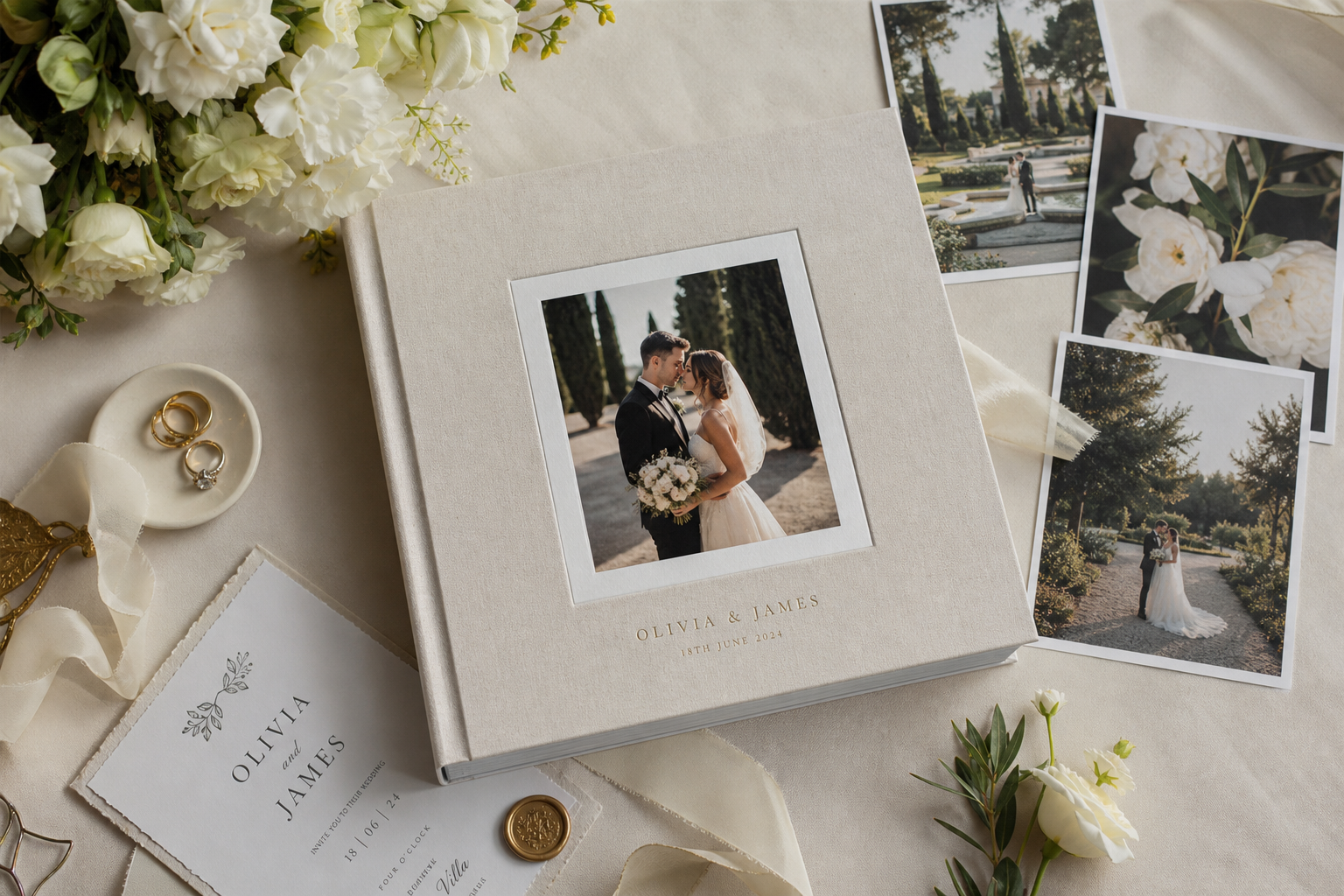
What the Best Wedding Album Guides Get Right, and What They Miss
Most top-ranking wedding album articles agree on a few smart ideas:
Tell the story in a clear sequence
Mix portraits, candids, and details
Use white space
Start and end with strong images
Choose materials that match your wedding style
That advice is good, but many articles stop there. What they often miss is:
How many photos to include without overcrowding
How to balance storytelling with design simplicity
How to build an album fast if you are short on time
How to create a cohesive look across multiple spreads
How AI can remove the most frustrating part of album design
How to make a wedding album that feels personal, not template-driven
This guide fills those gaps so you can create a wedding album that looks refined, feels emotional, and is actually easy to finish.
"Only 2% of photos taken on mobile devices are ever printed and displayed." - Source
"61% of couples have not printed a single wedding photo one year after their wedding." - Source
Why a Printed Wedding Album Still Matters
A printed album changes the way your memories live. Digital galleries are convenient, but a physical book turns the day into something shareable, tactile, and lasting.
A wedding album can become:
A keepsake for your home
A meaningful anniversary tradition
A family heirloom
A thoughtful gift for parents or grandparents
A calmer, more intentional way to relive the day
If you want your memories to feel permanent, a printed album is one of the best investments you can make after the wedding itself. For couples exploring styles, sizes, and finishes, Photo9’s wedding photo books are designed to make that process easier from the first upload to final print.
Start With the Story, Not the Layout
The strongest wedding albums are not just pretty. They have rhythm. Before you drag a single photo into place, decide what story you want the album to tell.
Three story directions that always work
Story Style | Best For | Feel |
|---|---|---|
Chronological | Full wedding-day albums | Classic and complete |
Emotional highlights | Smaller albums or gift books | Intimate and cinematic |
Theme-based | Editorial or modern albums | Stylish and curated |
A simple storytelling structure
A balanced wedding album often includes:
Opening hero image
Venue and atmosphere
Getting ready
First look or pre-ceremony moments
Ceremony highlights
Couple portraits
Family and wedding party
Reception details
Speeches, dinner, dancing
Final farewell or closing portrait
This gives your book a natural flow without making it feel repetitive.
How Many Photos Should You Include?
This is one of the biggest unanswered questions online.
Here’s a simple rule of thumb:
Album Length | Recommended Photo Count | Best Use |
|---|---|---|
20–30 pages | 40–70 photos | Parent gift, highlights album |
40–60 pages | 80–140 photos | Standard wedding story |
70+ pages | 140–220 photos | Full-day documentary album |
A common mistake is trying to include too much. If every page is packed, your best images lose impact. Give important moments room to breathe.
Good photo mix by percentage
A polished album usually includes roughly:
40% people and portraits
25% candid emotional moments
15% detail shots
10% wide scene setters
10% reception energy and movement
This keeps the album dynamic and prevents visual fatigue.
The Best Wedding Photo Album Layout Ideas
Layout variety matters, but consistency matters more. The goal is not to show every layout possible. It is to guide the viewer through the day naturally.
1. Full-bleed opening spread
Use one unforgettable image across an entire spread. This works beautifully for:
A portrait of the couple
The ceremony kiss
A dramatic venue shot
A sunset portrait
This kind of opening instantly makes the album feel premium.
2. One hero image with two or three supporting photos
This is one of the most versatile layouts. Use it for:
Getting ready sequences
First look reactions
Ceremony progression
Toasts and speeches
The hero image anchors the page while smaller images add context.
3. Clean grid layout for candid moments
Grids are perfect when you have several images from one scene:
Laughing with the wedding party
Cocktail hour
Dance floor sequences
Family hugs
Keep the spacing even and don’t overuse grids back to back.
4. Detail spread as a visual pause
A spread with flowers, stationery, rings, table styling, cake, or fabric texture creates breathing room between emotional scenes. It also makes the album feel more editorial.
5. White-space portrait spread
Let one portrait sit on a mostly clean page. This works especially well for:
Black-and-white photos
Emotional close-ups
Elegant bridal portraits
Quiet in-between moments
6. Panorama or wide venue spread
Use a full spread for the ceremony site, reception room, or scenic backdrop. It helps set the scene and adds scale to the story.
Wedding Album Ideas by Section
If you’re wondering what to put where, use this section-by-section plan.
Cover ideas
Your cover should feel timeless, not trend-driven. Good options include:
A close-up couple portrait
A wide scenic wedding photo
Your names and wedding date only
A minimalist title like “Our Wedding Day”
If you prefer a clean and classic look, a simple title with elegant typography often ages better than a busy cover image.
Opening pages
The first pages should create anticipation. Consider:
Venue exterior
Bouquet or dress detail
Invitation suite
Empty ceremony chairs before guests arrive
A quiet portrait before the day begins
Getting ready pages
Focus on atmosphere and emotion:
Hair and makeup
Buttoning dress or tying tie
Gifts or notes exchanged
Family helping
Nervous laughter and anticipation
Ceremony pages
This is the heart of the story, so slow it down visually:
Processional
First reaction
Vows
Ring exchange
Wide ceremony view
First kiss
Recessional joy
Portrait pages
This section deserves elegance and restraint. Use fewer, stronger images:
Couple hero portraits
Veil or movement shots
Architectural backdrops
Golden hour moments
Editorial close-ups
Reception pages
Make this section feel energetic and layered:
Room reveal
Table details
Cake and florals
Speeches
First dance
Parent dances
Dance floor candids
Late-night fun
Final pages
End with emotional closure:
Night portrait
Sparkler exit
Getaway car
One last kiss
A quiet black-and-white image
How to Choose Photos Without Getting Stuck
Photo selection is where many couples lose momentum. The easiest way to keep moving is to filter in rounds.
The 4-round method
Round 1: Pull the obvious favorites
Choose the images you instantly love.
Round 2: Fill storytelling gaps
Look for moments you need to complete the narrative.
Round 3: Remove duplicates
If five photos tell the same story, keep the strongest one.
Round 4: Check balance
Make sure the album includes emotion, detail, setting, and movement.
With Photo9, this stage becomes faster because AI can organize and suggest layouts in seconds, helping you avoid the tedious drag-and-drop process that makes so many projects stall. If you want a broader overview of formats and inspiration, explore Photo9’s photo books.
Design Rules That Make Your Album Look More Expensive
You do not need to be a designer to make a wedding album look refined. You just need a few rules.
Keep backgrounds simple
White, off-white, black, or soft neutral backgrounds almost always work best. Busy backgrounds usually compete with the photos.
Limit font choices
Stick to one or two fonts maximum. A classic serif paired with a clean sans serif is a safe combination.
Repeat visual patterns
Use a consistent margin, spacing rhythm, and text style throughout the book. Repetition creates sophistication.
Don’t overcrowd spreads
If a page feels busy, remove photos before changing everything else. Strong editing is more powerful than complicated design.
Use black and white intentionally
Black-and-white images can add elegance, but they work best when used with purpose. Group them around emotional moments rather than scattering them randomly.
Make Your Own Wedding Photo Book Faster With AI
Traditional photo book creation can take hours. Sorting, dragging, resizing, and rearranging is exactly what causes many people to quit halfway.
Photo9 solves that by making wedding album creation feel modern:
AI-generated layouts in seconds
Smart layout suggestions based on your images
No app required
Easy editing across devices
3D preview before ordering
Prompt-based editing and image descriptions
Professional results without design experience
That means you can upload your wedding photos, generate a polished structure quickly, and then personalize the details instead of building everything from scratch.
This is especially helpful for busy couples, new parents, gift buyers, and anyone who wants premium results without spending an entire weekend designing.
Choosing the Right Format for Your Album
The format affects how your wedding story feels in print.
Format | Best For | Why It Works |
|---|---|---|
Hardcover photo book | Most couples | Durable, elegant, versatile |
Softcover photo book | Smaller highlight book | Lightweight and affordable |
Layflat style presentation | Full-spread hero images | Great for panoramic storytelling |
If you want a premium keepsake, hardcover is usually the sweet spot between durability, beauty, and giftability. Photo9 offers both hard cover photo books and other flexible formats so you can match the product to your story and budget.
Personal Touches That Make the Album Feel Truly Yours
A memorable wedding album is not just a gallery of images. It reflects your relationship.
Add meaningful text sparingly
Good text ideas include:
Your names and wedding date
A short vow excerpt
A one-line dedication
Location of the wedding
A meaningful lyric or phrase
Keep it minimal. Let the photos lead.
Include scanned keepsakes
You can elevate the story by including:
Invitation suite
Handwritten vows
Menu card
Seating card
Ceremony program
A note exchanged before the ceremony
Match the design to the wedding aesthetic
If your day was romantic and classic, keep the album soft and timeless. If your wedding was modern, use stronger contrast and cleaner lines. If it was rustic or outdoor-focused, let texture and natural tones shape the visual direction.
Common Mistakes to Avoid
These are the issues that most often make a wedding album feel unfinished.
Using too many similar photos
Variation matters. Don’t include six versions of the same pose.
Ignoring transitions
A strong album moves smoothly from one part of the day to the next.
Overdecorating the pages
Too many stickers, backgrounds, and text elements can cheapen the look.
Making every page equally busy
Pacing matters. Alternate fuller spreads with quieter ones.
Delaying the project too long
The longer you wait, the harder it is to finish. Momentum is your friend.
A Simple Wedding Album Workflow You Can Finish This Week
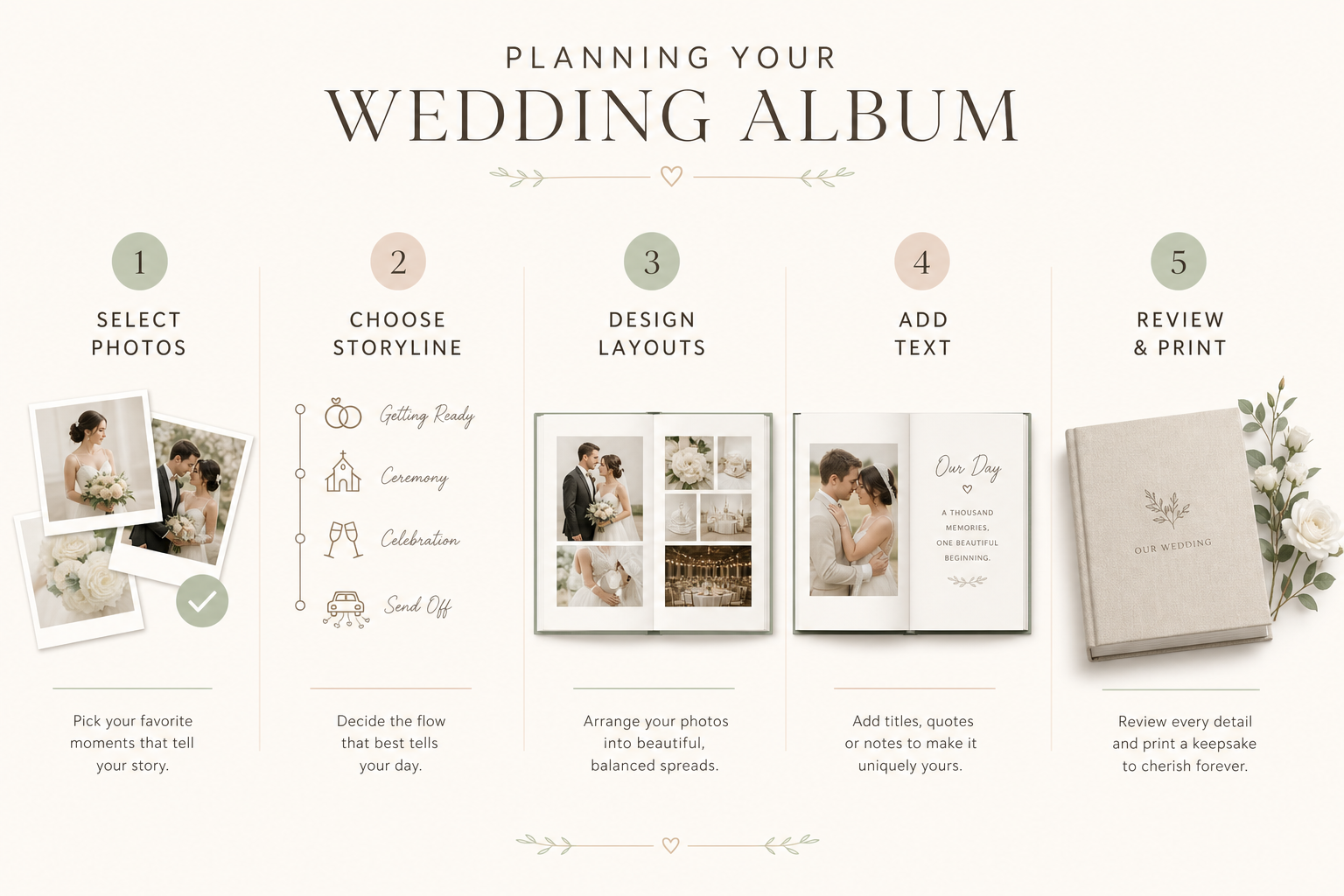
If you want to stop overthinking and start creating, follow this:
Day 1: Gather and shortlist
Collect all edited wedding photos and choose your top favorites.
Day 2: Build the story
Arrange images into the main sections of the day.
Day 3: Generate the first layout
Use an AI-powered builder like Photo9 to create an initial album draft fast.
Day 4: Edit with intention
Swap photos, adjust spreads, add minimal text, and refine the flow.
Day 5: Review in 3D preview
Check pacing, cropping, consistency, and spelling.
Day 6: Place the order
Choose your format, confirm details, and order with confidence.
Day 7: Celebrate being done
No more “I’ll do it later.” Your memories are on their way to becoming something real.
Why Photo9 Is a Smart Choice for Wedding Albums
There are plenty of album tools online, but most still make couples do the hardest work manually. Photo9 is built differently.
What makes Photo9 stand out
AI design technology that turns photos into layouts in seconds
Easy web-based creation with no app download
Professional design quality without design skills
Full control to customize text, backgrounds, and arrangement
Cross-device access so you can work wherever you want
3D preview for confidence before printing
Premium materials and high print quality
Fast, reliable delivery
Secure payment and 100% satisfaction guarantee
Local printing where possible for lower emissions
Sustainable materials and recyclable packaging
In short, Photo9 helps you create something emotional and beautiful without making the process feel like work.
Final Thoughts
To make your own wedding photo album, you do not need to be a designer. You need a clear story, thoughtful photo selection, clean layouts, and a tool that helps rather than slows you down.
The best wedding albums are not the ones with the most photos. They are the ones that make you feel the day again.
If you are ready to make your own wedding photo book with less stress and better results, Photo9 gives you the fastest path from digital chaos to a printed keepsake you’ll be proud to hold, share, and gift.
FAQ
How to make a good wedding photo album?
Start with a clear story structure, then choose your strongest photos rather than trying to include everything. Use a mix of portraits, candids, details, and wide shots, and keep the design clean with consistent layouts, minimal text, and enough white space.
Is it better to DIY a wedding album?
It can be, especially if you want a more personal and customizable result. Using an AI-powered platform like Photo9 makes DIY much easier by generating layouts in seconds while still letting you edit and personalize the final design.
Who usually pays for the wedding album?
There is no single rule. Often the couple pays for their main album, while parents or family members may gift additional copies or contribute as part of the wedding budget.
What is the 30 5 minute rule for weddings?
This usually refers to building in extra time buffers throughout the day so small delays do not affect the schedule. In practical terms, adding 5 to 30 minutes around key moments helps photographers capture better images and reduces stress, which also improves your final album.