
Make Photo Album Online and Print With Ease
Photo 9
12 min read · June 14, 2026
Make Photo Album Online and Print With Ease
If you want to make a photo album online to print without spending hours dragging, sorting, and redesigning every page, you’re not alone. Most people have hundreds or thousands of photos scattered across phones, cloud drives, and chats - but turning them into a beautiful printed album often feels overwhelming.
That’s exactly why online photo album makers have become so popular. They remove the technical hassle, help you organize your memories faster, and make it possible to create a polished keepsake or gift even if you have zero design experience. With Photo9, the process goes even further: AI-generated layouts appear in seconds, smart design suggestions help you move faster, and you can personalize everything from text to backgrounds directly in your browser - no app required.
"Approximately 92.5% of all photos are taken using smartphones, amounting to about 1.8 trillion photos annually." - PetaPixel
That sounds impressive, but there’s a downside.
"Approximately 70% of photos stored on camera phones are never viewed again." - Digital Camera World
So if your memories are sitting unseen in your camera roll, a printed album is more than a product - it’s a way to make those moments visible again.
Why More People Make Photo Albums Online Instead of Offline
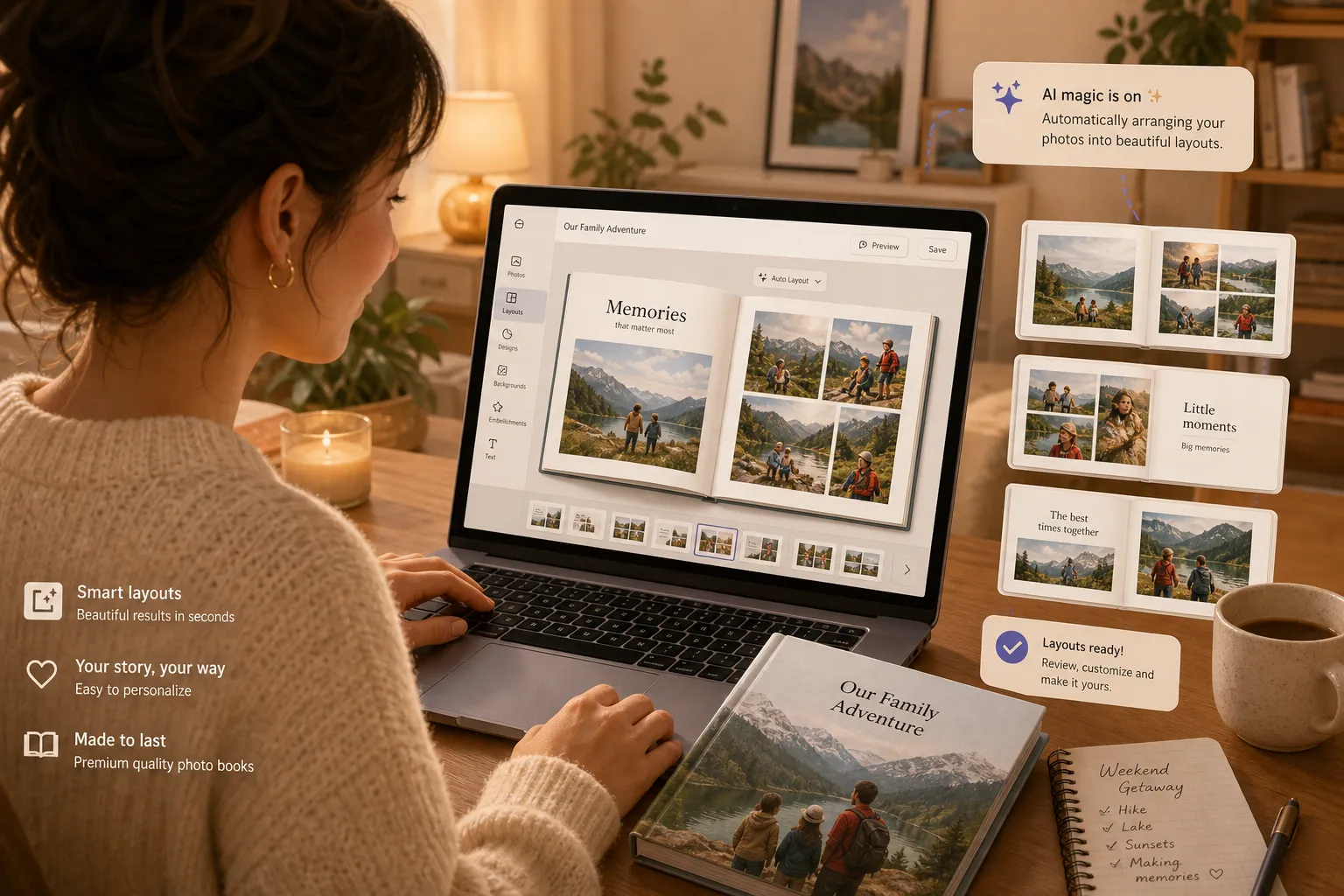
Traditional photo album creation used to be slow. You had to upload photos manually, build each page from scratch, and hope the result looked balanced in print. Online platforms changed that by making the workflow faster, easier, and more accessible across devices.
Today, the best tools let you:
Upload photos from your computer or phone
Auto-organize images into stories or timelines
Use smart layouts instead of empty templates
Edit text, colors, and page design easily
Preview the final album before ordering
Print and ship professionally without leaving home
For busy families, parents, couples, travelers, and gift buyers, this is a huge upgrade. You can start a project during a lunch break, continue it later on another device, and finish with confidence.
If you’re comparing options, it helps to understand what separates basic editors from modern AI-powered tools. Our guide to the best photo book making sites for every budget explores what really matters before you order.
What the Best Competitors Do Well - And What They Miss
The top photo album and photo book brands tend to focus on the same winning points:
Easy online creation
Templates and themes
Different cover formats
Collaboration and sharing
Fast printing and delivery
Premium paper and color quality
Those are all important. But many competitor pages gloss over the real user pain points:
They don’t fully solve photo overload
Most platforms still expect you to sort, select, and place too much manually. That’s where users lose momentum.
They talk about customization, but not speed
A beautiful editor is useful, but many people need a result in minutes, not hours.
They rarely explain how to make the album feel personal
A printed photo album should tell a story, not just display images. The emotional structure matters.
They don’t always connect convenience with sustainability
People want easy creation, but they also want better materials, local production where possible, and less waste.
Photo9 fills those gaps by combining AI speed, professional design support, full customization, and high-quality printing in one browser-based experience.
How to Make a Photo Album Online to Print, Step by Step
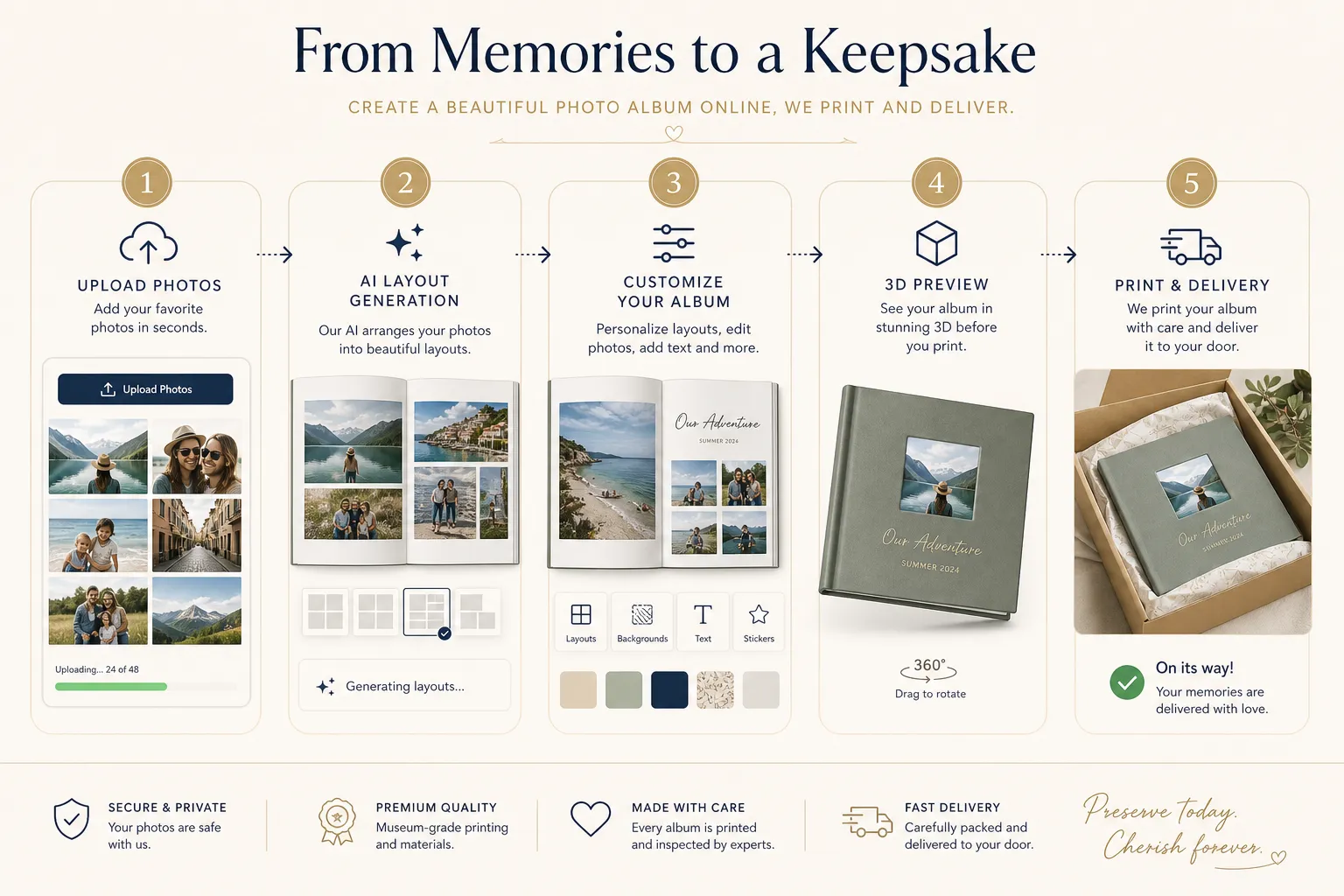
The easiest way to make photo album online and print is to use a workflow that keeps the process simple from start to finish.
1. Choose the album purpose first
Before uploading anything, ask: what is this album for?
Common album types include:
Family yearbooks
Baby’s first year
Wedding albums
Birthday memory books
Travel recaps
Graduation gifts
Anniversary keepsakes
Everyday life highlights
Knowing the purpose helps you choose the right format, tone, and number of photos.
For example, a wedding album may need elegant full-page spreads, while a family yearbook may work better with captions, collages, and seasonal chapters. If you’re building a themed project, our wedding photo book ideas for lasting memories can help you shape the story.
2. Gather your best photos
You do not need to include every photo you’ve ever taken. The strongest albums are curated.
A good rule of thumb:
Album Type | Suggested Photo Count | Best Approach |
|---|---|---|
Small gift album | 20–40 | Highlights only |
Standard family album | 50–120 | Mix hero shots and candid moments |
Travel or wedding book | 80–150 | Build a clear story arc |
Year in review | 100–200+ | Organize by month or event |
Look for a balance of:
Wide shots for context
Portraits for emotion
Detail shots for texture
Candid moments for authenticity
Milestone photos for narrative anchors
3. Let AI build the first draft
This is where Photo9 changes the experience. Instead of placing every image manually, the platform can automatically generate layouts in seconds based on your uploaded photos.
That means you get:
A fast first version to work from
Smarter image grouping
Better visual rhythm across pages
Less time spent resizing and aligning
For people who want a professional-looking result without design skills, this is often the difference between finishing a project and abandoning it halfway through. If that sounds familiar, you may also like this guide on how to make photo books with AI.
4. Customize the design
Automation should save time, not limit creativity. After the AI creates your draft, you can fine-tune:
Text and captions
Backgrounds
Page order
Layout density
Cover title
Theme and visual style
This is where your album becomes truly personal. Add short notes, dates, place names, or one-line memories that bring the story to life.
5. Use 3D preview before printing
A high-quality online maker should let you review your album carefully before ordering. Photo9’s 3D preview helps you see how the book will feel as a finished product, not just as flat pages in an editor.
Check for:
Cropped faces or important details
Repeated images
Too much text on one page
Inconsistent image quality
Weak cover design
Awkward page breaks
6. Print and deliver with confidence
Once the design is ready, the last step should feel easy. That means:
Premium materials
Sharp print quality
Secure payment
Reliable delivery
Satisfaction guarantee
Local printing when possible to reduce emissions
That final part matters more than ever.
"66% of consumers expect companies to ensure their wood and paper products do not contribute to deforestation." - FSC
Photo9 supports more responsible production with sustainable materials, FSC-certified options, and recyclable packaging - so preserving memories does not have to come at the expense of better choices.
What Makes an Online Photo Album Worth Printing?
Not every digital album deserves to become a printed keepsake. The best printed albums have a few qualities in common.
A clear story
A great album has flow. It moves from beginning to middle to end, even if the theme is casual.
A mix of photo sizes
Too many small images can feel cluttered. Too many full-page photos can feel repetitive. Variety keeps the book engaging.
Personal text
Even a few captions can transform an album from decorative to deeply meaningful.
Strong cover design
The cover sets expectations. A clean title, striking hero image, and balanced composition make a big difference.
Print-ready image quality
Online tools should support high-resolution photos and warn you when an image may not print well.
Best Design Options When You Make Photo Album Online
A strong online photo album maker should give you enough flexibility without becoming complicated.
Popular album formats
Format | Best For | Why It Works |
|---|---|---|
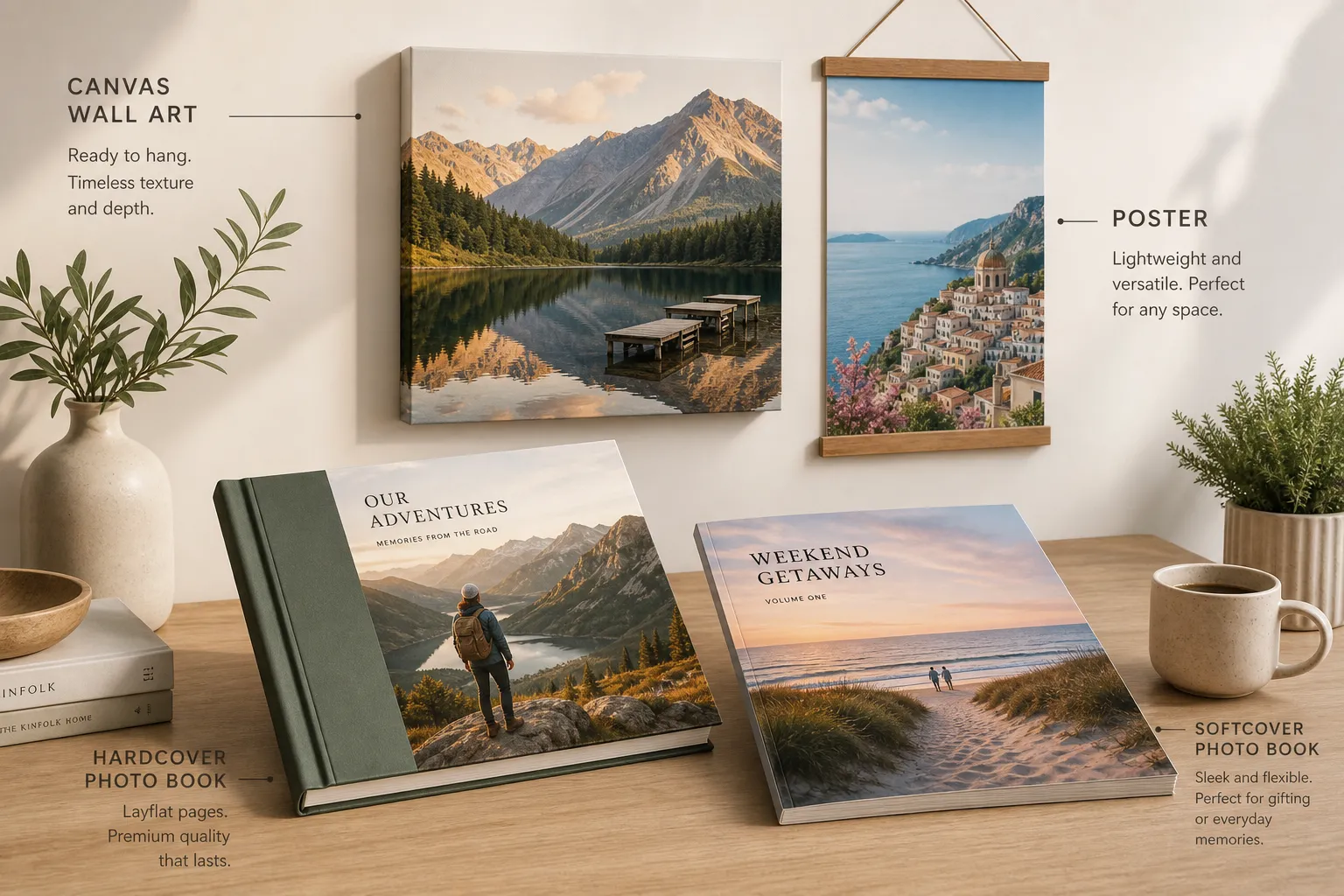
Hardcover photo book | Gifts, weddings, family keepsakes | Durable and premium |
Softcover photo book | Everyday memories, travel recaps | Lightweight and affordable |
Layflat-style spreads | Panoramas, luxury albums | More immersive visual impact |
Wall art add-ons | Hero images from the album | Extends memories into home decor |
If you’re choosing between formats, Photo9 offers multiple styles including premium photo books, plus wall art like canvas, forex, and posters for standout images that deserve more than a page.
Useful design features to look for
AI-generated layouts
Smart layout suggestions
Text support and caption tools
Simple theme switching
Cross-device editing
3D preview
Prompt-based editing assistance
Secure online checkout
These features matter because the average user does not want a pro design tool. They want a smart, guided experience that still feels personal.
Common Mistakes to Avoid When Creating a Printed Photo Album
Even with a great platform, a few avoidable mistakes can weaken the final result.
Using too many similar photos
Choose the strongest version of a moment instead of five nearly identical shots.
Ignoring the sequence
Even casual books feel better when pages flow naturally by time, place, or emotion.
Overloading pages
White space is useful. Let your best photos breathe.
Writing too much text
Captions should enhance, not overwhelm. Keep them short and meaningful.
Forgetting the cover
People spend so much time on inside pages that they rush the cover. Don’t.
Skipping preview
Always check the final version carefully before printing.
If you want more text-focused layout advice, especially for storytelling albums, it’s worth reading about photo books that allow text and mistakes to avoid.
Why Online Album Makers Are Ideal for Gifts
Photo albums are one of the few gifts that feel both personal and practical. They are easy to display, meaningful to revisit, and emotionally rich without being generic.
They work beautifully for:
Mother’s Day and Father’s Day
Birthdays
Weddings and anniversaries
Baby showers and first birthdays
Graduation gifts
Holiday presents
Farewell or friendship books
And because modern online makers simplify the design process, you no longer need scrapbooking skills or desktop software to create something impressive.
Photo9 is especially strong for gift creation because it combines speed with quality. You can build a polished design quickly, personalize it fully, preview it in 3D, and have it printed on premium materials with dependable shipping.
Why Photo9 Is a Smarter Way to Make Photo Album Online and Print
Many services let you create a book. Photo9 is built to help you create a better one, faster.
What sets Photo9 apart
Feature | Why It Matters |
|---|---|
AI-generated layouts in seconds | Saves hours of manual work |
No app required | Create directly in your browser |
Cross-device access | Start anywhere, finish anywhere |
Smart layout suggestions | More polished pages with less effort |
Full customization | Change text, backgrounds, and design details easily |
3D preview | See the final look before ordering |
Premium print quality | Your memories deserve sharp, lasting results |
Multiple products | Turn photos into books, canvas, posters, and more |
Local printing when possible | Lower emissions and faster fulfillment |
Sustainable materials | Better choices for long-term keepsakes |
Secure payment | Safer checkout experience |
100% satisfaction guarantee | Extra confidence when ordering |
Ideal for real life, not just perfect photos
One thing many platforms underplay is that real memories are messy. They include blurry laughs, spontaneous snapshots, screenshots, travel signs, baby milestones, and imperfect but meaningful moments.
Photo9 is designed for real users with real camera rolls. The AI helps turn visual chaos into a clean, story-led layout, so you can focus on the emotion instead of the mechanics.
Who Should Use an Online Photo Album Maker?
If you see yourself in any of these groups, online album creation is likely a perfect fit:
Families
Turn everyday moments, school milestones, and vacations into annual memory books.
New parents
Capture baby’s first year before the photos disappear into endless folders.
Couples
Create wedding albums, anniversary gifts, or travel keepsakes together.
Travelers
Build destination books that tell the story of the trip, not just the highlights.
Students and grads
Celebrate school memories, friendships, and milestones in a format that lasts.
Gift buyers
Create something far more meaningful than a generic present.
Busy digital users
If you want a fast, browser-based, no-fuss process with beautiful results, this format is ideal.
Final Verdict: The Easiest Way to Preserve Memories Beautifully
If your goal is to make photo album online, customize it without stress, and print it professionally, the best solution is one that balances speed, storytelling, and quality.
That’s why AI-powered creation matters. It eliminates the most frustrating parts of album design while still letting you add your personality and finishing touches. Instead of staring at blank pages, you start with a smart draft and shape it into something unforgettable.
Photo9 makes that process feel simple. You get professional-looking layouts in seconds, cross-device access without an app, rich customization, premium print quality, secure payment, fast reliable delivery, and a sustainability-minded production approach.
So if you’ve been meaning to turn your digital memories into something real, now is the perfect time. Start your album, let AI handle the heavy lifting, and create a keepsake you’ll actually hold, share, and revisit for years.
FAQ
What is the easiest online photo book to make?
The easiest option is a platform that uses AI-generated layouts, offers simple customization, and works directly in your browser. Photo9 makes the process especially easy by turning uploaded photos into polished album designs in seconds, with 3D preview and smart editing tools.
What is the easiest way to make a photo album?
The easiest way is to upload your photos to an online album maker, let AI create the first draft, and then personalize the text, cover, and layout. This saves time and helps you create a professional-looking printed album without any design experience.
What is the best website to create a photo album?
The best website depends on whether you value speed, customization, and print quality. For users who want to make a photo album online to print quickly and beautifully, Photo9 stands out with AI-powered design, premium materials, cross-device access, and fast, reliable delivery.