
Create a Family Photo Album in 7 Easy Steps
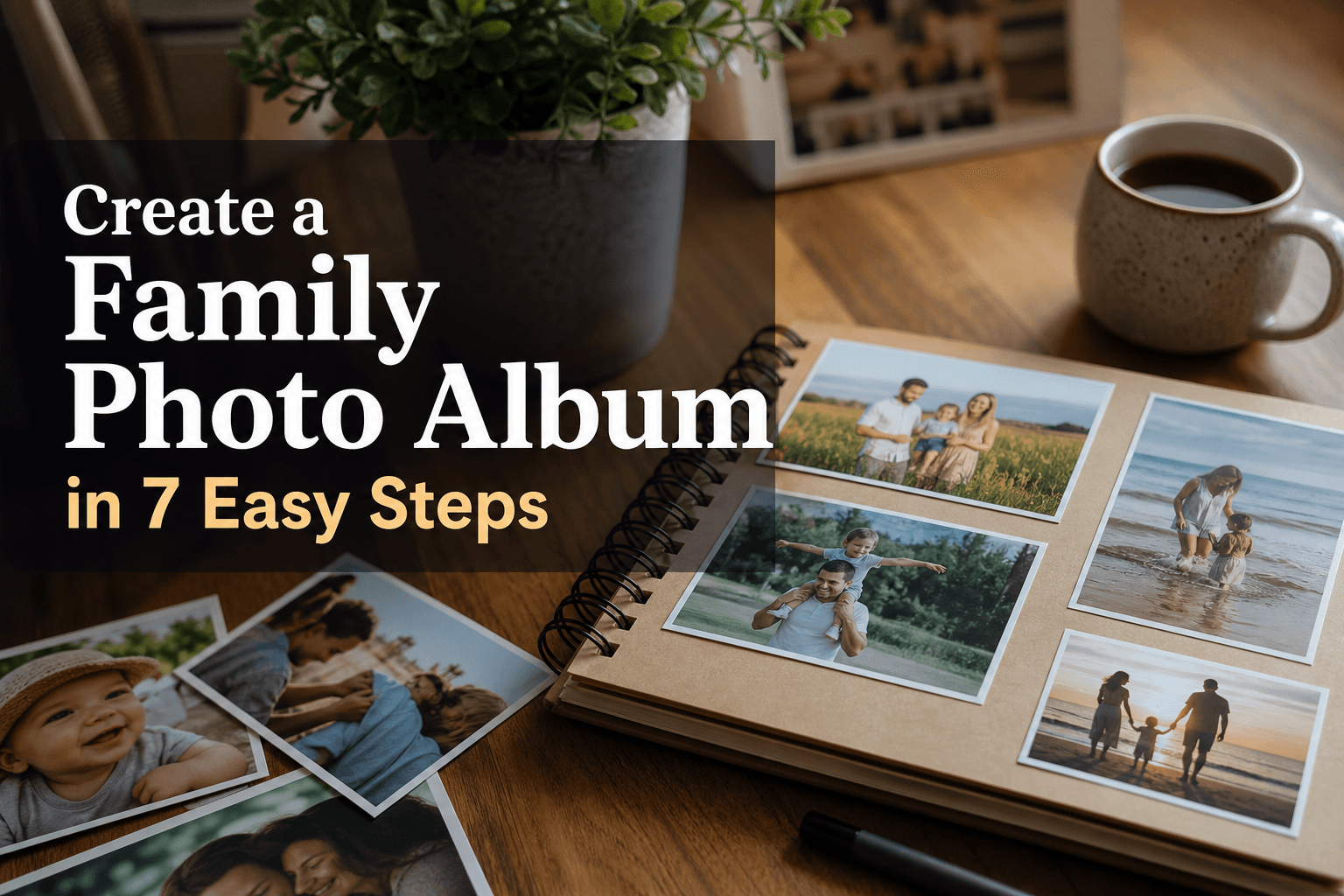
Photo 9
13 min read · May 30, 2026
Create a Family Photo Album in 7 Easy Steps
If you’ve been meaning to create a family photo album but keep putting it off, you’re not alone. Most families have thousands of photos spread across phones, cloud storage, WhatsApp threads, and old laptops. The hardest part usually isn’t caring about the memories. It’s figuring out where to start, how to choose the right photos, and how to turn digital clutter into something beautiful you can actually hold.
The good news? You do not need design skills, hours of free time, or a complicated app to make a family photo album that feels polished and meaningful. With the right method, you can go from chaotic camera roll to a finished keepsake in a simple, stress-free way.
At Photo9, we believe the process should feel as special as the final product. That’s why modern family albums no longer need to be built page by page by hand. With AI-generated layouts in seconds, smart design suggestions, easy browser-based editing, 3D preview, premium materials, and full customization, it’s easier than ever to preserve your best moments in a way that looks professionally designed.
"As of 2023, approximately 92.5% of all photos are taken using smartphones." - PetaPixel
"A 2019 study by Chatbooks and HP found that 94% of parents believed printed photos helped their children feel loved, special, and important." - Chatbooks

Why family photo albums still matter
A family album is more than a storage format. It’s a way to turn everyday moments into a story. School runs, birthdays, beach days, grandparents visiting, lazy Sundays, first steps, holidays, funny faces at the dinner table, and all the in-between moments become easier to revisit when they’re printed.
Digital galleries are convenient, but physical albums are emotional. They get opened on the sofa, passed around at celebrations, and rediscovered years later. They also make thoughtful gifts for parents, grandparents, partners, and children.
If you want inspiration beyond the basics, explore these ideas for a photo album for family memories.
What the best competitor guides get right, and what they miss
After reviewing top-ranking content on how to create family photo books, a few common themes stand out:
What most articles do well
They encourage choosing a theme or timeframe first
They recommend organizing photos before designing
They suggest keeping layouts simple
They highlight the value of chronological storytelling
They remind readers to proof the album before ordering
Where most guides fall short
Most articles still assume you will manually:
upload and sort everything yourself
drag every photo into place one by one
spend hours picking layouts
use outdated tools or app-heavy workflows
settle for generic designs or limited customization
They also rarely discuss:
how to reduce decision fatigue
how AI can build a strong first draft instantly
how to maintain a consistent family album tradition year after year
how to balance speed, quality, sustainability, and customization in one platform
That’s where a smarter workflow makes a huge difference.
The simple 7-step method to create a family photo album
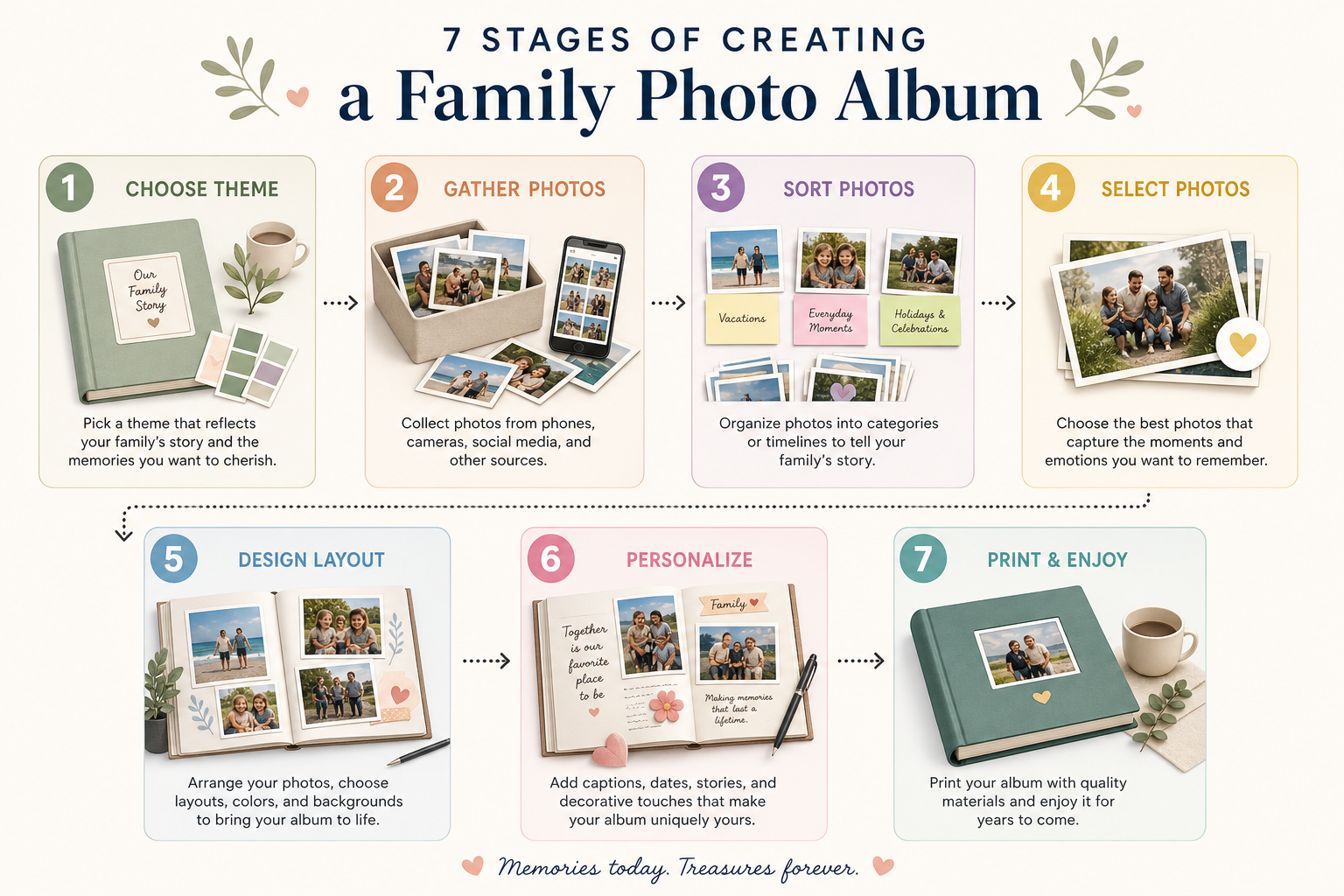
1. Choose the story your album will tell
Before you touch your photo library, decide what your album is about. This one decision makes everything easier.
You could create an album around:
one calendar year
a family holiday
a baby’s first year
a birthday or anniversary
a school year
a family milestone
a “best of us” highlight album
If you’re new to this, start smaller than you think. A full year album is wonderful, but a summer album or “Our Favorite Family Moments” book can feel much more manageable.
Best tip
Use one central theme and one timeframe. That gives your album a clear identity and prevents random photos from diluting the story.
2. Gather your photos into one place
This is the step that prevents the whole project from feeling overwhelming. Pull your photos from:
your phone
your partner’s phone
cloud storage
shared family folders
old digital albums
downloaded camera photos
Create a single folder or collection for the project. If your photos are scattered, do not start designing yet. Centralizing them first saves time later.
Smart approach
Group photos by:
month
event
trip
person
milestone
That way, your album will naturally flow once you start building it.
3. Cull hard and keep only the meaningful photos
The biggest mistake people make when they try to create a family album is including too many near-duplicates. You do not need 14 versions of the same smile.
Choose photos that are:
clear enough to print well
emotionally meaningful
visually varied
representative of the moment
natural and authentic
Remove:
blurry shots
screenshots
accidental photos
duplicates
images that do not add to the story
A simple culling formula
For most family albums, aim for:
1 to 3 hero images per event
4 to 8 supporting images for bigger moments
fewer photos, but better storytelling
If you want a faster way to build the book after selecting your favorites, you can design a photo book online with ease using an AI-assisted workflow instead of placing every image manually.
4. Decide on the album style and format
Now choose the product itself. This is where function meets feeling.
Here’s a practical comparison:
Album Choice | Best For | Look and Feel |
|---|---|---|
Hardcover photo book | Annual family albums, milestone books, gifts | Premium, durable, timeless |
Softcover photo book | Casual projects, lighter storybooks, budget-friendly gifts | Flexible, modern, simple |
Large landscape | Travel, events, panoramic storytelling | Expansive, visual |
Square format | Family highlights, balanced layouts, coffee-table style | Stylish, versatile |
Small format | Grandparent gifts, mini memory books | Compact, charming |
For a keepsake you’ll revisit often, a hardcover is usually the strongest choice. If you’re comparing formats, Photo9 offers both customizable hard cover photo books and flexible styles for different needs.
What to think about
Will this be a gift or for your own home?
Do you want a classic or modern look?
Will you make one every year and want them to match?
Do you want more room for text, or mostly photos?
Consistency matters. If you plan to make family albums annually, sticking to the same size and finish can create a beautiful shelf collection over time.
5. Let layout do the heavy lifting
This is where many people get stuck. Traditional album builders ask you to manually drag, resize, crop, and rearrange every single image. That is exactly why so many family album projects stay unfinished.
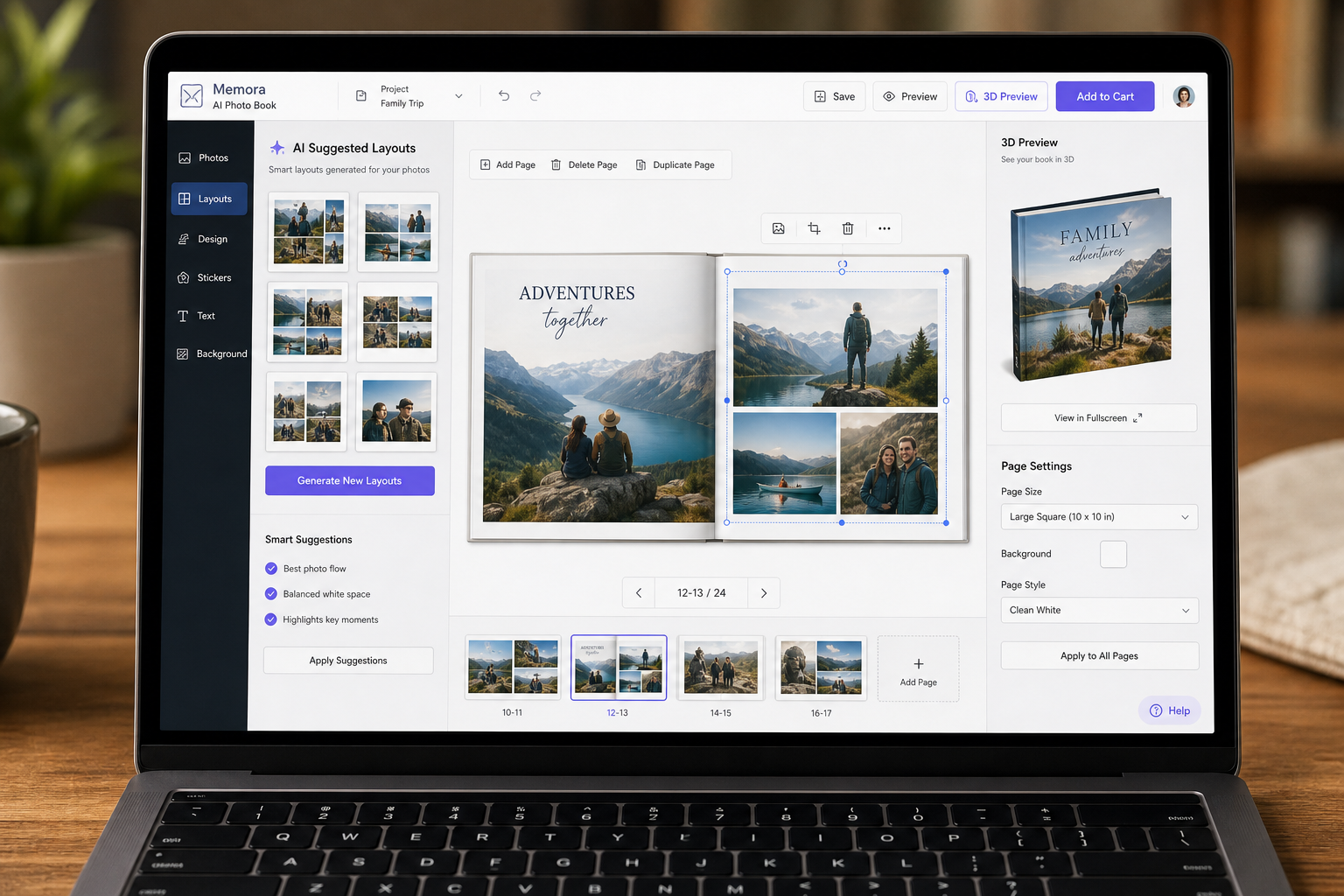
Photo9 solves this with AI-generated layouts in seconds. Instead of starting from a blank page, you upload your photos and get smart layout suggestions based on image orientation, visual balance, and storytelling flow. You can then customize everything if you want, but the hard part is already done.
Why this matters
AI helps you:
save hours of manual design time
avoid awkward page layouts
get a polished first draft instantly
maintain visual consistency
design without prior experience
Keep the pages balanced
Use a mix of:
full-page feature photos
clean collages for busy events
white space where needed
occasional text pages for context
A family album should feel easy to browse, not overcrowded.
6. Personalize it with text, details, and emotion
The best family photo albums are not just pretty. They are personal.
Add:
names
dates
locations
little captions
family jokes
milestone notes
one-paragraph monthly summaries
short reflections from parents or children
These details become more valuable with time. Ten years from now, “Beach Day” is nice, but “The day Ella lost her first tooth in the sea and wouldn’t stop laughing” is unforgettable.
Easy ways to personalize without overdesigning
Use one font family throughout
Keep captions short
Add text only where it adds meaning
Include the month or event title at the start of each section
Use simple background colors or minimal decorative touches
If you want text-friendly layouts, structured storytelling, or books that combine pictures and words naturally, Photo9 makes it easy to edit in your browser with smart suggestions and a live 3D preview.
7. Review carefully, then print something worth keeping
Before ordering, review your album slowly. Check:
image cropping
spelling
page order
date accuracy
duplicate images
missing cover title
blank pages or crowded spreads
A final review is the difference between “good enough” and “I love this.”
What makes a family album feel premium
At Photo9, quality matters just as much as convenience. Look for:
high print sharpness
rich color accuracy
durable binding
premium paper options
secure payment
fast and reliable delivery
sustainable materials
recyclable packaging
local printing where possible for lower emissions
a clear satisfaction guarantee
That way, the album is not only quick to make, but genuinely worth keeping for years.
A practical workflow that makes the process easier
Here is the simplest repeatable system for busy families:
Stage | What to Do | Time-Saving Tip |
|---|---|---|
Choose | Pick a theme and timeframe | Start with one month, one trip, or one year |
Gather | Collect all photos in one folder | Combine from phones and cloud storage first |
Select | Remove duplicates and weak shots | Keep only images that tell the story |
Build | Upload and auto-generate a layout | Use AI instead of blank-page design |
Refine | Add text, swap images, tweak pages | Focus only on key pages |
Review | Check cover, captions, cropping | Take a break, then proof with fresh eyes |
Order | Print and save your design | Reuse the same format every year |
Ideas for what to include in your family photo album
If you are unsure what deserves space, here are meaningful categories to include:
Everyday life
Some of the most cherished photos are not from major events. Include:
breakfast at home
bedtime reading
baking together
school runs
garden play
rainy day crafts
Sunday walks
Big milestones
These deserve stronger visual emphasis:
birthdays
first day of school
new baby
moving house
christenings
graduations
anniversaries
Family relationships
Make sure different connections are visible:
siblings together
kids with grandparents
parents with children
whole-family photos
candid couple moments
pets included too
Seasonal pages
These are great for annual albums:
spring days out
summer holidays
autumn traditions
winter celebrations
Common mistakes to avoid when you make a family photo album
Using too many photos
More is not always better. A tighter selection creates a stronger story.
Leaving yourself out of the album
Many parents take the photos but are rarely in them. Make sure you appear too. Your children will care.
Overcomplicating the design
A simple, elegant layout usually feels more timeless than heavily decorated pages.
Waiting for the “perfect time”
The best time to start is now. Even a simple album completed this month is better than a perfect album delayed for years.
Forgetting the cover
The cover sets the tone. Use a strong hero image and a clear title.
Why AI is changing how families preserve memories
The traditional photo book process was built for people with patience, time, and design confidence. Today’s families need something better.
AI-powered creation changes the experience by making it:
faster
more accessible
less intimidating
more consistent
easier to finish
Instead of forcing you to build every page from scratch, Photo9 helps you start with a beautifully structured draft. You stay in control, but you skip the repetitive work.
That means:
no app required
no advanced design skills needed
easy editing across devices
professional-looking results in minutes
flexible customization when you want it
For busy parents, new couples, travelers, and gift shoppers, that’s the difference between “someday” and “done.”
Should you make one album or start a yearly tradition?
If you can, make it a tradition.
Annual family albums become one of the most meaningful archives a family can own. They’re easier to browse than endless folders, and easier to enjoy than cloud backups.
A good system is:
one album per year
one consistent size
one recurring cover style
one storytelling structure
You can also create themed extras:
baby’s first year
grandparents gift book
family vacation album
birthday memory book
anniversary book
Family album ideas by life stage
For new parents
Create shorter books by trimester, newborn stage, or first-year milestones.
For families with school-age children
Use a school-year format with first day, activities, holidays, and monthly highlights.
For couples
Build a “our year together” album with trips, celebrations, and everyday life.
For gift buyers
A family album is one of the most emotional personalized gifts because it combines memory, storytelling, and design in one object.
Why Photo9 is the easiest way to create a family photo album
Photo9 is built for real people with real photo libraries, not just designers. If you want to create a family photo album quickly without sacrificing quality, it brings together the things families actually care about:
AI-generated layouts in seconds
no app download required
smart layout suggestions
full customization with text and backgrounds
3D preview before ordering
access across devices
premium print quality
multiple formats and themes
secure checkout
fast, reliable delivery
sustainable materials and recyclable packaging
local printing when possible
100% satisfaction guarantee
In short, it turns a project that used to take hours into something joyful, fast, and beautifully finished.
Final thoughts
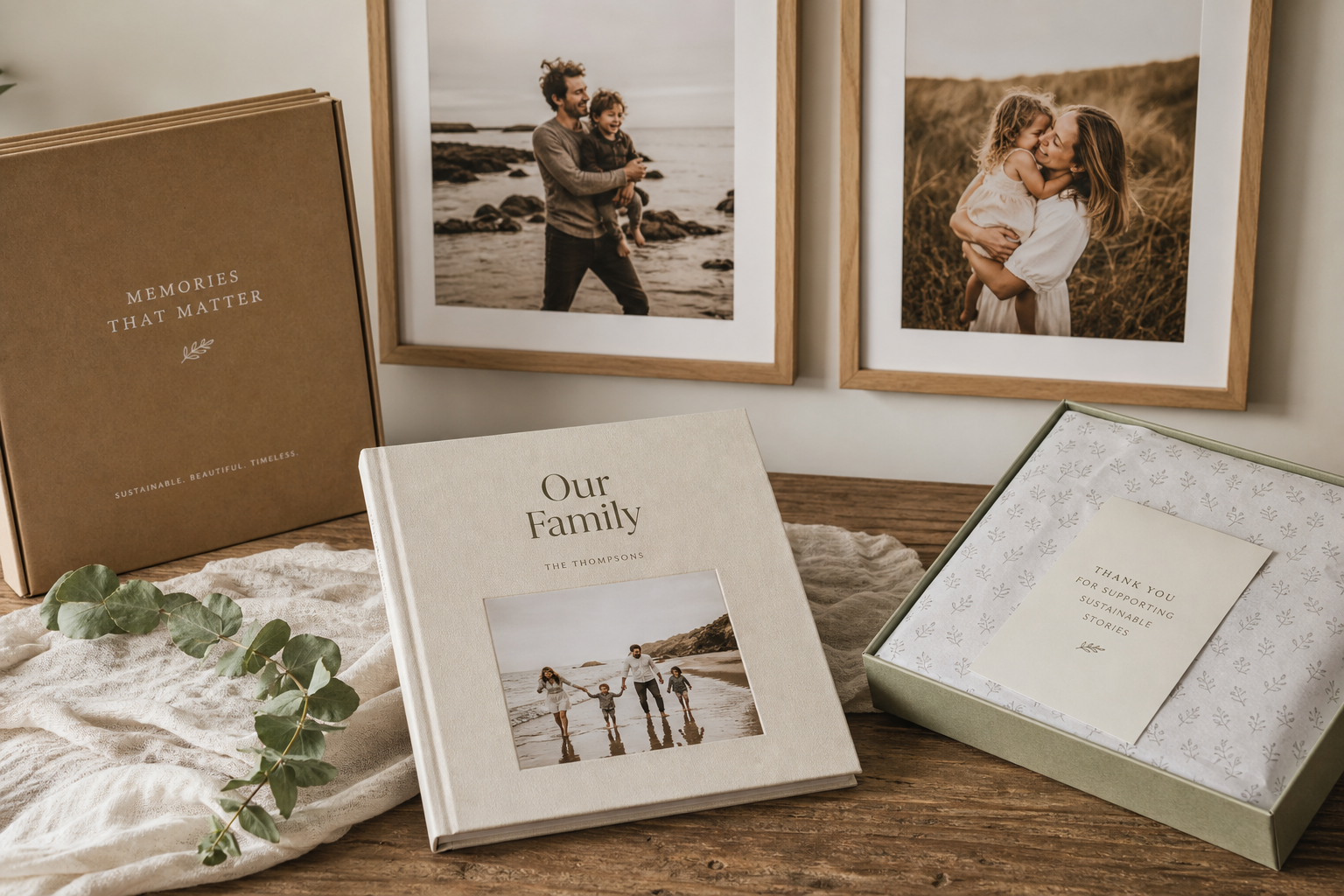
The best family photo album is not the one with the most photos. It is the one that gets made, gets held, gets shared, and gets loved.
If you’ve been waiting for a simple way to make a family photo album, this is it: choose the story, gather your favorites, cut the clutter, let AI build the first design, personalize the details, and print something worthy of your memories.
With Photo9, you can go from scattered digital snapshots to a premium keepsake in minutes, not days. Start your family album today and turn everyday moments into a story your family will actually revisit.
FAQ
How to organize your photos in 7 steps?
Choose a theme, gather all photos into one place, sort by month or event, remove duplicates, pick the strongest images, build your layout, then review before printing. This simple structure keeps the process manageable and helps your album tell a clear story.
How to create a family photo in ChatGPT?
ChatGPT can help you write prompts, captions, or album text, but it does not replace a full photo book creator. If you want to turn family pictures into a polished book, use a tool like Photo9 for AI-assisted layouts, customization, and printing.
What is the easiest way to make a Photo Album?
The easiest way is to use an online platform that creates a draft for you automatically. With AI-generated layouts, you can upload your photos, get a professional design in seconds, and then make small edits instead of starting from scratch.
How to arrange 7 people for a group photo?
Place the tallest people near the back or center, vary heights naturally, and keep heads staggered rather than in a straight line. For a more relaxed family photo, use gentle interaction and slight angles instead of making everyone stand stiffly shoulder to shoulder.
What is the best way to organize thousands of photos?
The best method is to centralize everything first, then sort by year, month, or event before culling hard. Focus on meaningful images only, and create albums regularly so your library stays manageable instead of becoming overwhelming.