
Make a Vacation Photo Book That Tells Your Story
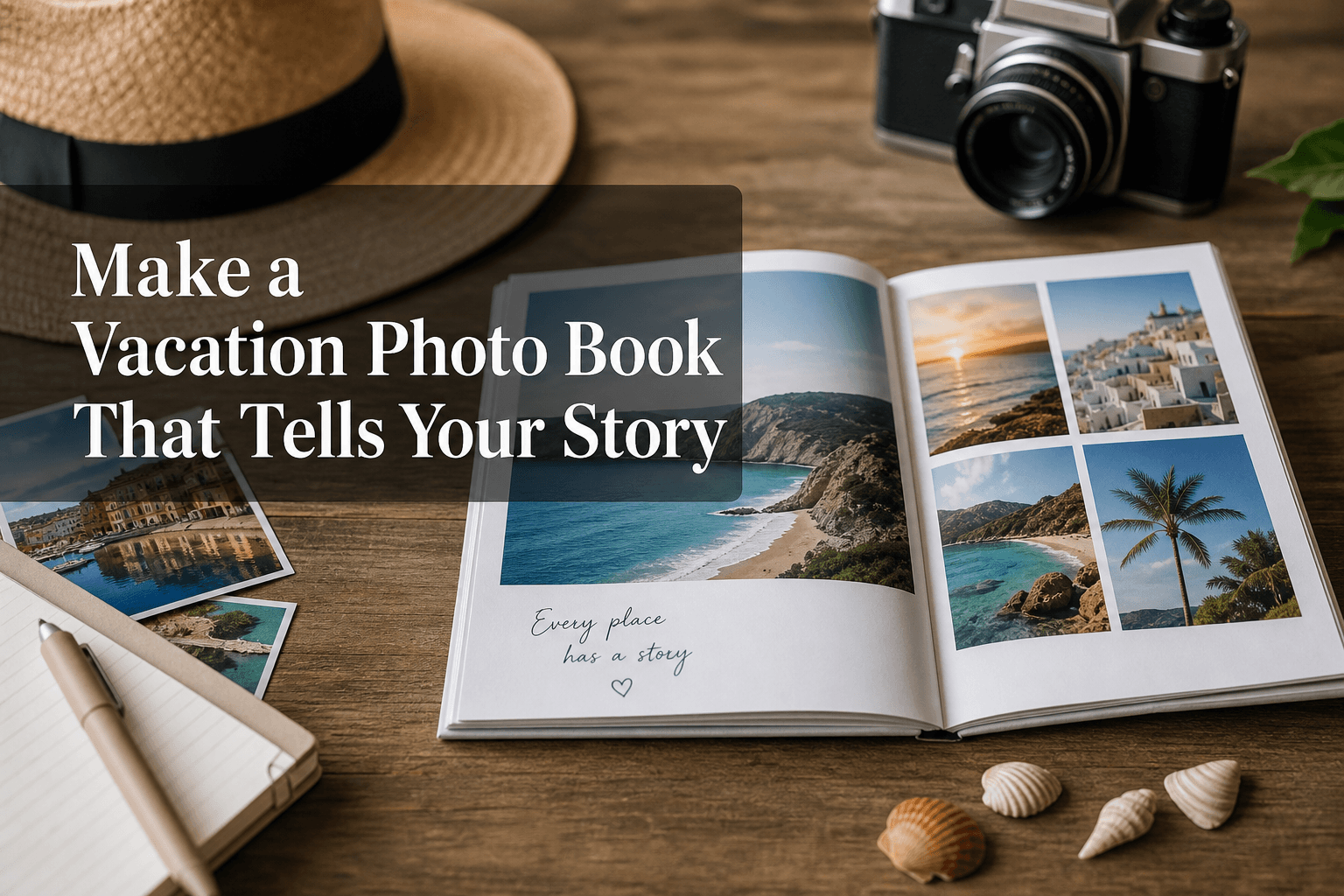
Photo 9
12 min read · May 19, 2026
Make a Vacation Photo Book That Tells Your Story
A great vacation deserves more than a forgotten folder on your phone. If you want to make a vacation photo book that feels personal, polished, and easy to create, the secret is not using more tools. It is using a smarter process.
For families, couples, friends, parents, and gift buyers, the biggest challenge is rarely taking the photos. It is what happens after the trip: too many images, no time to sort them, and no clear idea how to turn them into something beautiful. That is exactly where Photo9 helps. With AI-generated layouts in seconds, smart suggestions, cross-device editing, and full customization in your browser, you can create a professional-looking travel photo book without design experience or an app.
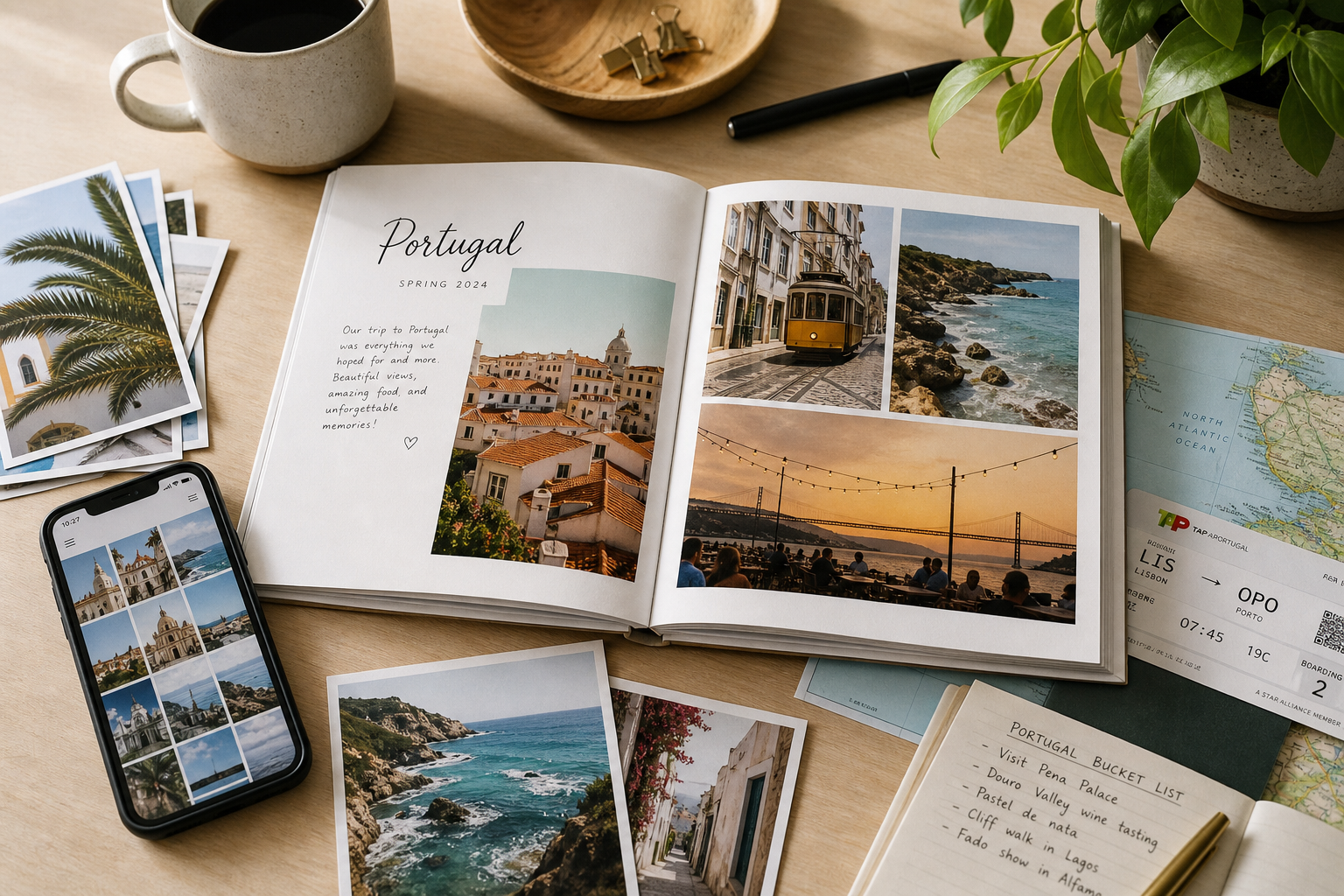
Why people want to make a vacation photo book in the first place
Vacations are emotional milestones. They hold the little details you forget fastest: the view from the train, the sunburn on day two, the meal everyone still talks about, the child who fell asleep on your shoulder after a long day out.
A printed photo book gives those moments structure and permanence. It turns scattered photos into one story you can revisit, display, gift, and share.
Competitor pages often focus on product specs, price tables, or generic inspiration. What they miss is the deeper reason people create these books:
to preserve a trip before memories fade
to make digital photos feel real again
to give a meaningful gift to parents, grandparents, or friends
to create a story, not just a photo dump
to finish the project quickly, without wrestling with complex design software
"French travelers take an average of 42 photos per day during their holidays, totaling approximately 300 photos over a week-long trip." - KAYAK
That volume is exactly why manual creation feels overwhelming. Photo9 solves it by building your first draft automatically, so you can focus on storytelling instead of dragging and dropping for hours.
What the best vacation photo books have in common
The strongest travel photo books are not necessarily the longest or most expensive. They simply do a few things well.
They have a clear story arc
A memorable vacation photo book usually follows this flow:
anticipation
departure
arrival
highlights
quiet moments and details
people and emotions
the ending or journey home
This simple sequence makes the book feel intentional rather than random.
They balance big moments and small details
Competitors mention landmarks and scenic views, but often overlook the texture of a real trip. A better book includes both:
iconic shots
candid family moments
food and menus
tickets and signs
hotel views
funny accidents
screenshots of maps or messages
detail shots that bring the mood back instantly
They are edited, not overloaded
One of the most common mistakes is trying to include everything. A good vacation photo book is curated. The goal is not to prove how many photos you took. It is to capture how the trip felt.
If you want more ideas before you start, explore these custom travel photo album ideas for every trip for different styles and themes.
How to choose the right photos without getting stuck
Photo selection is where most people lose momentum. Here is a faster, smarter method.
Use the 5-folder method
Before designing, sort your vacation images into five quick categories:
Folder | What goes in it | Why it matters |
|---|---|---|
Must-use | Your best, most meaningful shots | These become your anchors |
People | Candids, portraits, group moments | Adds emotion |
Places | Landscapes, architecture, scenery | Creates context |
Details | Food, objects, textures, signs | Adds personality |
Maybe | Good extras you may use later | Keeps you from overthinking |
This gives you structure in minutes.
Pick fewer photos than you think
As a rule of thumb:
20-page book: 40 to 70 photos
40-page book: 80 to 140 photos
60-page book: 120 to 220 photos
This depends on layout style, but less is usually better. Large images with breathing room often look more premium than crowded pages.
Prioritize emotional value over technical perfection
A slightly imperfect photo can still deserve a place if it captures something meaningful. A blurry laugh can matter more than a perfectly sharp sunset.
Photo9 helps here too with smart layout suggestions and easy adjustments, so even mixed photo sets can become cohesive and polished.
A simple storytelling structure for your vacation photo book
If you are unsure how to organize pages, use this proven framework.
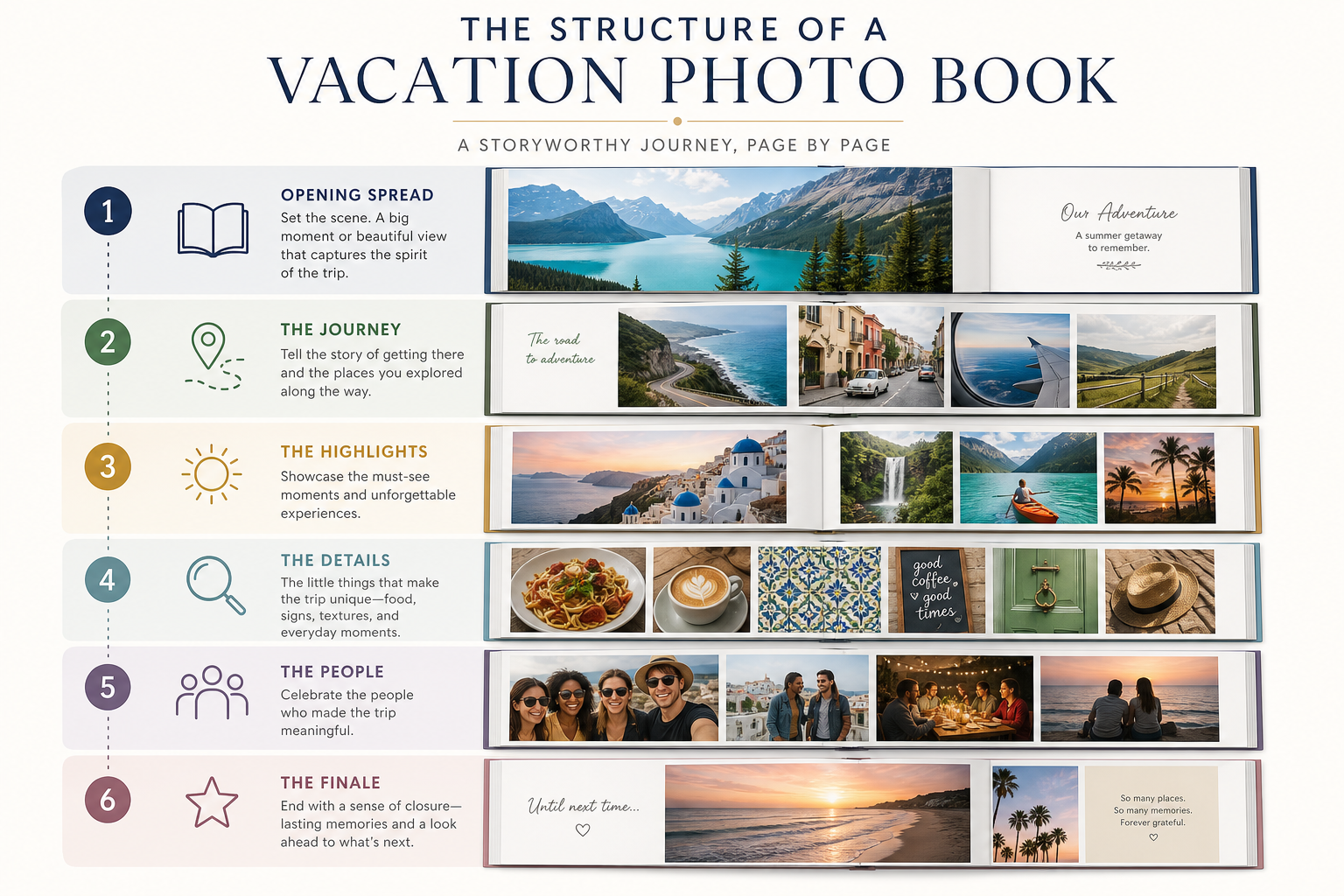
Opening spread: set the tone
Use the beginning to establish where you went and what the trip meant.
Ideas for the first spread:
destination name and year
a hero landscape image
travel dates
a short quote or one-sentence summary
a simple map screenshot or route reference
Early pages: the start of the journey
Include:
packing moments
airport or train station shots
first impressions
arrival views
the first meal or walk
These pages help the story feel complete.
Middle pages: the core memories
This is the heart of the book. Mix:
standout experiences
day trips
activities
candid reactions
portraits
local details
A useful rhythm is to alternate between:
one page with impact images
one page with collage layouts
one page with text or captions
Final pages: the emotional finish
Do not let the book just stop. End it intentionally with:
the last sunset
a family photo
a final breakfast or departure moment
one closing caption about the trip
This gives the book emotional resolution.
If you want a deeper walkthrough, our complete guide to creating your own travel photo book expands on sequencing, text, and page flow.
Layout tips that make your book look professionally designed
Many competitor articles say “add captions” or “leave white space,” but they rarely explain how to actually do it well. Here is what works.
Use one hero photo per spread whenever possible
A full-page or full-spread image instantly adds quality and calm. Reserve this for:
scenic views
emotional portraits
milestone moments
striking architecture or nature
Group similar photos together
Keep pages visually coherent by grouping photos with a shared trait:
same day
same activity
same color palette
same location
This prevents the book from feeling chaotic.
Mix page density intentionally
Use a variety of page styles:
Page type | Best for | Effect |
|---|---|---|
Full-page image | Hero moments | Drama and elegance |
2–3 photo layout | Related highlights | Balance |
4–6 photo collage | Busy activity days | Energy |
Photo + text | Reflection, quotes, context | Storytelling |
Minimal page | One detail or quiet moment | Emotional pause |
Keep text short and meaningful
Instead of describing the obvious, add what the photo cannot show:
what someone said
how the weather felt
why the moment mattered
what happened right before or after
Need help balancing text and visuals? This guide on photo books that allow text and mistakes to avoid is useful if you want a cleaner, more readable result.
Creative design ideas for different types of vacations
Not every trip should look the same. Match the design to the kind of journey you had.
Beach holiday photo book
Best design choices:
airy layouts
light backgrounds
soft blues, sandy neutrals, white space
relaxed captions
Include:
beach days
food and drinks
sunsets
barefoot details
casual family moments
City break photo book
Best design choices:
clean grids
bold title pages
date/location headers
modern typography
Include:
street scenes
museums
food spots
architecture
little discoveries between landmarks
Road trip photo book
Best design choices:
chronological story
maps and route references
milestone spreads for each stop
postcards or journal-like captions
Include:
roads
car moments
signs
detours
changing landscapes
Family vacation photo book
Best design choices:
playful layouts
quote-based captions
mix of candids and posed shots
pages focused on each child or family member
Include:
reactions
silly moments
shared meals
downtime
details only your family would remember
Romantic trip or honeymoon book
Best design choices:
elegant spacing
fewer images per page
emotional captions
premium finishes
Include:
portraits
mood shots
restaurants
scenic moments
private details that tell your story as a couple
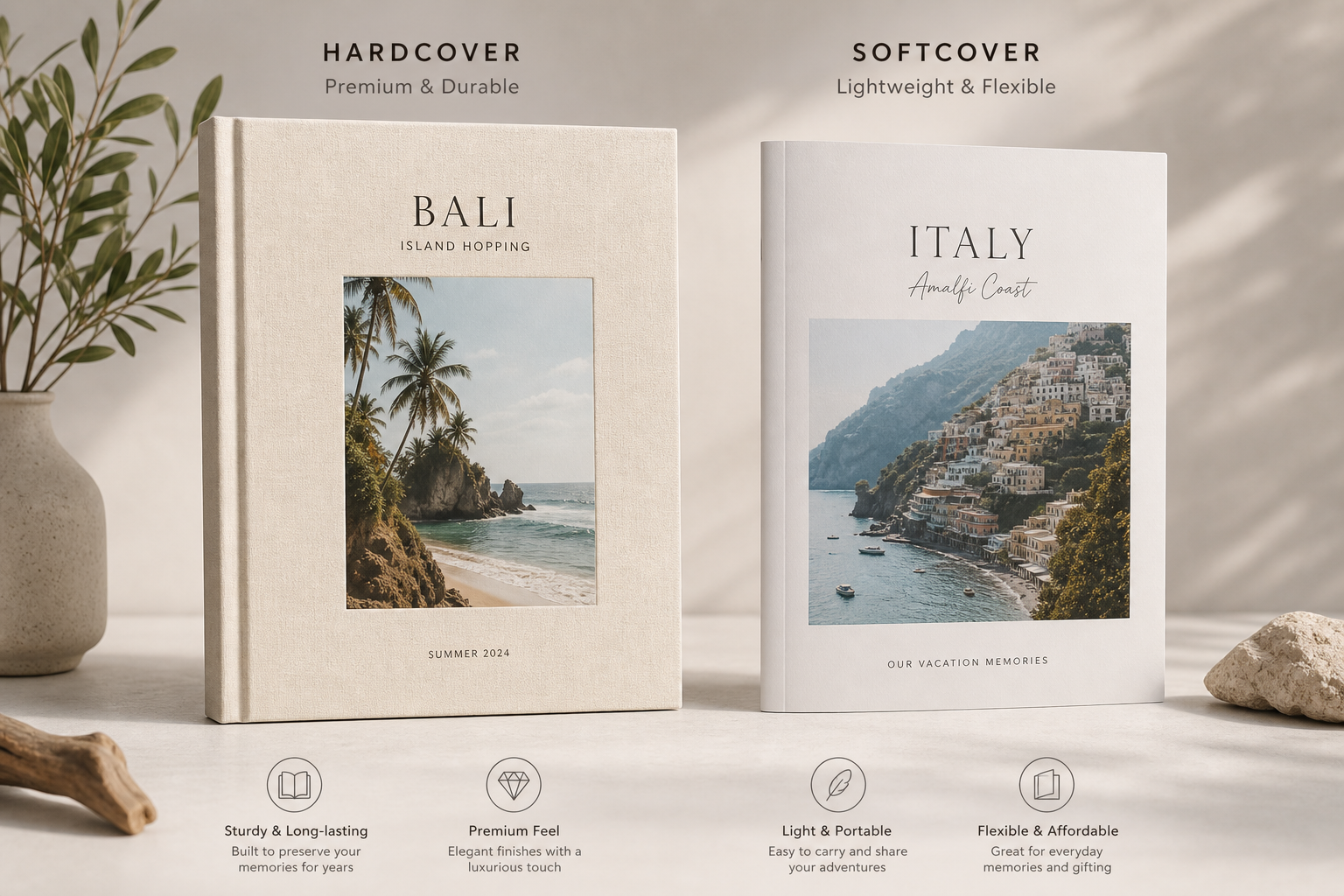
Hardcover or softcover: which format works best?
Choosing the right format matters almost as much as the design itself.
Format | Best for | Benefits |
|---|---|---|
Hardcover | milestone trips, gifts, premium keepsakes | durable, elegant, display-worthy |
Softcover | shorter trips, casual memory books, budget-friendly projects | lighter, more flexible, affordable |
At Photo9, you can choose from multiple photo book formats and themes depending on your story. If you want a more elevated keepsake, our hard cover photo books are ideal for vacations you want to revisit for years.
Why AI makes it easier to make a vacation photo book
This is one of the biggest content gaps in most competitor articles. They mention ease of use, but they do not fully explain how AI changes the experience.
With traditional editors, you need to:
sort every image manually
choose layouts yourself
drag photos into place
resize and adjust endlessly
worry whether it looks good
With Photo9, much of that work is reduced or removed.
What Photo9 does for you
AI-generated layouts in seconds
smart layout suggestions based on your photos
browser-based editing with no app required
cross-device access so you can start on one device and finish on another
simple text, background, and customization tools
3D preview before ordering
fully customizable photo books and wall art
secure payment and fast, reliable delivery
local printing where possible for lower emissions
FSC-certified materials and recyclable packaging
100% satisfaction guarantee
In practical terms, that means you can go from chaotic camera roll to polished first draft in minutes, not days.
"Nearly 80% of Americans experience happiness and calm when looking at old photographs." - FOREVER
That emotional payoff is why speed matters. The easier it is to finish your book, the more likely your memories become something tangible instead of another unfinished digital project.
Small details that make a vacation photo book unforgettable
These are the elements competitors often mention only briefly, but they are often what makes the final book feel alive.
Add captions from real conversations
Use:
something funny your child said
a line from your travel notes
a phrase you kept repeating on the trip
a memory-triggering quote
Include “in-between” moments
Not every page needs a wow photo. Include:
waiting at the station
morning coffee
hotel room chaos
tired faces after a day out
snapshots from the taxi window
These moments create authenticity.
Use recurring motifs
If your trip had repeating visual elements, use them intentionally:
trains
palm trees
markets
blue doors
coffee cups
hiking boots
This creates cohesion across the book.
Don’t ignore the cover
A strong cover should feel simple and lasting. Usually the best choice is:
one standout photo
destination + year
minimal text
a color palette that matches the mood of the trip
Common mistakes to avoid
Here are the pitfalls that make many vacation photo books feel rushed or cluttered.
Including too many similar images
Pick one or two from a scene, not ten nearly identical shots.
Forgetting people
Scenic photos matter, but the people in the trip are usually the real story.
Making every page busy
Visual breathing room makes the whole book feel more premium.
Skipping text entirely
Even a few captions can make the memory more vivid years later.
Leaving the project unfinished
The perfect book that never gets printed is worse than the very good book you actually create.
Photo9 is designed specifically to reduce this friction. The AI gives you momentum, while customization tools give you control.
How to create your book faster with Photo9
Here is a practical workflow you can use today.
Step 1: Gather your photos
Upload your vacation images from your phone, laptop, or cloud workflow. Because Photo9 works online, there is no need to install an app to get started.
Step 2: Let AI build the first version
Photo9 automatically generates layouts in seconds, helping you skip the hardest part: the blank canvas.
Step 3: Refine the story
Swap photos, add text, adjust backgrounds, and fine-tune key spreads.
Step 4: Preview in 3D
Use the 3D preview to check pacing, balance, and overall look before ordering.
Step 5: Print with confidence
Choose your preferred format and finish, then order knowing you are getting premium print quality, secure payment, reliable delivery, and sustainable materials where possible.
Final thoughts: make a vacation photo book before the memories blur
The best time to make a vacation photo book is sooner than you think. Not when you have a perfect free weekend. Not when you finally organize all 2,000 photos. Just soon enough that you still remember the feeling behind them.
A beautiful travel photo book is not about graphic design skills. It is about choosing the right moments and using the right tool to shape them into a story. Photo9 makes that process faster, easier, and far more enjoyable with AI-powered design, full customization, premium formats, and a smooth web-based experience from start to finish.
If your travel memories deserve more than a camera roll, now is the moment to turn them into something real. Start with Photo9 and create a vacation photo book that looks professionally designed, feels deeply personal, and lasts for years.
FAQ
Can I create a digital travel photo book?
Yes, you can start with a digital travel photo book workflow by organizing your images and designing online. With Photo9, you create everything in your browser, preview it in 3D, and then turn it into a premium printed keepsake when you are ready.
How to make a travel picture book?
Start by choosing your best photos, then organize them into a simple story: arrival, highlights, details, people, and ending. Photo9 makes the process easier by generating layouts in seconds and letting you customize text, backgrounds, and page flow without design experience.
Can AI help me make a photo book?
Absolutely. AI can speed up photo book creation by arranging images, suggesting layouts, and removing much of the manual design work. Photo9 uses AI to help you go from a messy camera roll to a polished first draft in minutes.
How much does the Popsa app cost?
Pricing for Popsa can vary by product, size, page count, and shipping, so it is best checked directly on their website or app. If you are comparing options, focus on the full value: ease of creation, print quality, customization, delivery, and materials, not just the starting price.